Intel i5 vs i7 2026年にどちらのプロセッサーがあなたに適しているか
2026年2月19日 • セサール・ダニエル・バレット
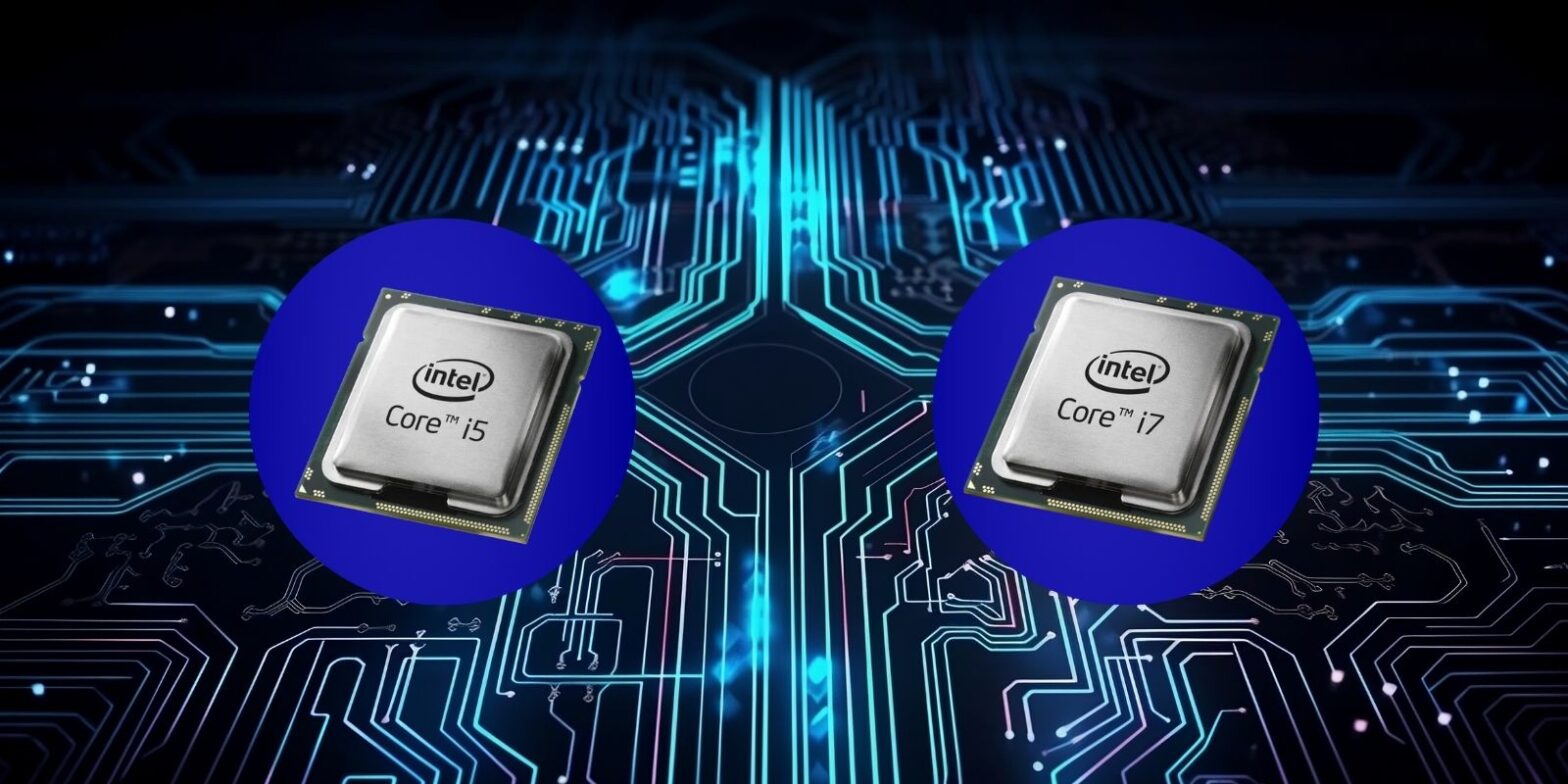
2026年にIntel Core i5とi7プロセッサを選ぶ際、「より多くのパワー対低価格」という単純な問題ではなくなります。Intelのハイブリッドアーキテクチャ、AI加速機能、進化するパフォーマンステアにより、実際の問題はシステムをどのように使用するかということになります。.
多くのユーザーにとって、混乱の原因は重複する仕様にあります。現在の一部のi5モデルは、かつてのi7チップが支配していたパフォーマンスレベルを提供しています。同時に、新しいi7プロセッサは、より高いコア数、より大きなキャッシュプール、重い作業負荷下でのより強力な持続的パフォーマンスを導入しています。.
このガイドは、仕様だけでなく、実際の使用における違いを明確に分解します。 ゲーム, ビデオ編集、重いマルチタスク、単にブラウジングやストリーミングを行う場合でも、適切な選択は実際にどれだけのパフォーマンスが必要か、そしてより多くの支払いが利益をもたらすかどうかに依存します。.
クイック比較概要
| 要因 | インテル Core i5 | インテル Core i7 |
|---|---|---|
| 価格 | より手頃な価格 | より高いコスト |
| コア構成 | パフォーマンスコアが少なく、バランスの取れたハイブリッドデザイン | より多くのパフォーマンスコア + より高いスレッド数 |
| マルチタスク | 日常使用に強い | 重い作業負荷に優れている |
| ゲーミング | 1080pとほとんどのAAAタイトルに最適 | 高リフレッシュレート + ストリーミングにより適している |
| コンテンツ作成 | 軽度から中程度の編集を処理 | 4K編集、レンダリング、重いエクスポートに理想的 |
| 電力効率 | ノートパソコンで非常に効率的 | 効率的だが、持続的な電力消費が高い |
| 長寿命 | 中期的な価値が堅固 | 長期的なパフォーマンスの余地がより良い |
| 基本的なタスクには過剰 | いいえ | 多くの場合、はい |
プロセッサ比較
インテル Core i5とi7プロセッサは、インテルのラインアップの一部であり、異なるコンピューティングニーズに対応するように設計されています。i5プロセッサは、コストとパフォーマンスのバランスを提供する中間的なオプションと見なされることが多く、通常は6〜10コアを備えており、日常のコンピューティングタスクや中程度の作業負荷に適しています。一方、i7プロセッサは、より多くのパワーを必要とするユーザーを対象としており、8〜16コアを備えています。これにより、ビデオ編集や高級ゲームなどの要求の厳しいアプリケーションに最適です。.
これらのプロセッサの基本周波数は、そのパフォーマンスを決定する重要な要素です。i5プロセッサは通常、3.0〜4.5 GHzの基本周波数で動作し、i7プロセッサは3.2〜5.0 GHzに達することができます。さらに、ターボ周波数により、これらのプロセッサは重い負荷の下で速度を向上させることができ、i5は最大4.5 GHzに達し、i7は最大5.0 GHzに達します。.
i7プロセッサの重要な機能はハイパースレッディングであり、各コアが同時に2つのスレッドを処理できるようにします。これによりマルチタスク能力が向上し、i7プロセッサは複数のアプリケーションを同時に実行するユーザーや高い計算能力を必要とするタスクに最適な選択肢となります。.
インテル世代
インテル Coreプロセッサのさまざまな世代を通じた進化は、パフォーマンスと効率の大幅な改善をもたらしました。各新世代は、アーキテクチャ、電力消費、熱管理の向上をもたらします。 アーキテクチャ, 、電力消費、熱管理。たとえば、9世代から10世代への移行では、コア数の顕著な増加とターボ周波数の改善が見られました。.
最新世代のインテル Core i5およびi7プロセッサは、前世代と比較してより良いマルチタスクとゲームパフォーマンスを提供します。技術の進歩により、電力消費の削減も実現され、特にバッテリー寿命を重視するノートパソコンユーザーにとって有益です。ただし、新しい世代のパフォーマンス能力の向上は、しばしば高い価格を伴うため、予算を意識する購入者にとって考慮すべき要素となります。.
ゲームパフォーマンス
ゲームに関しては、i5とi7プロセッサの選択が体験に大きな影響を与える可能性があります。i5プロセッサは、現代のゲームで60〜90 FPSのフレームレートを達成し、中程度の設定でスムーズなゲームプレイを提供することができます。これは、最高の設定を必要としないカジュアルゲーマーにとって有効なオプションです。.
対照的に、i7プロセッサは高いフレームレートを提供し、高設定でしばしば100 FPSを超えます。これは、最高のパフォーマンスを求める競争的なゲーマーにとって理想的です。i7プロセッサの強化されたマルチタスク能力により、ストリーミングとゲームを同時にシームレスに行うことができ、パフォーマンスが重要なゲームシナリオで優位性を提供します。.
i7プロセッサのターボ周波数は、その優れたゲームパフォーマンスに寄与し、要求の厳しいゲームを容易に処理することができます。ただし、電力消費の増加と熱生成はノートパソコンユーザーにとって欠点となる可能性があり、最適なパフォーマンスを維持するためには効果的な冷却ソリューションが必要です。.
マルチタスク能力
複数のタスクを同時に処理する能力は、多くのユーザーにとって重要な考慮事項です。i5プロセッサは、日常のタスク(ウェブブラウジング、ドキュメント編集、ストリーミングなど)を行うユーザーに適した、十分なマルチタスク能力を提供します。そのコア数と基本周波数は、これらの活動を大きな遅延なく処理するのに十分です。.
しかし、より強力なマルチタスク能力を必要とするユーザーには、i7プロセッサがより適しています。その高いコア数とハイパースレッディング技術により、複数の仮想マシンを実行したり、大きなメディアファイルを編集したりするなどの集中的な作業負荷を容易に管理できます。i7プロセッサの負荷下での高いパフォーマンスを維持する能力は、要求の厳しいタスクにシステムを依存するプロフェッショナルにとって理想的です。.
価格差
i5とi7プロセッサの価格差は、多くの購入者にとって重要な要素です。i5プロセッサは一般的により手頃な価格であり、予算を意識するユーザーにとって魅力的なオプションです。パフォーマンスとコストのバランスが良く、最高のパワーを必要としない主流のユーザーに適しています。.
一方、i7プロセッサはその強化された能力により、より高い価格を要求します。追加のコア、ハイパースレッディング、およびより高いターボ周波数がそのコスト増加に寄与しています。i7プロセッサは優れたパフォーマンスを提供しますが、その価格プレミアムは、その完全な潜在能力を必要としないユーザーにとっては正当化されないかもしれません。.
パフォーマンスを重視し、高性能システムに投資する意思のあるユーザーにとって、i7プロセッサは価値のある投資です。しかし、より予算を意識するユーザーにとっては、i5プロセッサは必要不可欠なパフォーマンスを妥協せずにコスト効果の高いソリューションを提供します。.
ビジネスアプリケーション
ビジネス環境では、i5とi7プロセッサの選択が生産性と効率に影響を与える可能性があります。i5プロセッサは、ワードプロセッシング、スプレッドシート、メールコミュニケーションなどの一般的なオフィスタスクに適しています。パフォーマンスとコストのバランスが良く、日常使用に信頼できるシステムを必要とするビジネスにとって実用的な選択です。.
より要求の厳しいアプリケーションに依存するビジネスには、i7プロセッサがより適しています。 データ分析, 、ソフトウェア開発、またはグラフィックデザインなど。i7プロセッサの優れたマルチタスク能力と高い基本周波数により、複雑なタスクを容易に処理し、生産性を向上させ、待ち時間を短縮します。.
ビジネスコンテキストでのi5とi7プロセッサの選択は、組織の特定のニーズに依存することが多いです。i5プロセッサはほとんどのオフィスタスクに十分ですが、i7プロセッサはより専門的なアプリケーションに必要な追加のパワーを提供し、高性能システムを必要とするビジネスにとって貴重な資産となります。.
ビデオ編集
ビデオ編集は、かなりの処理能力を要求するリソース集約型のタスクです。i5プロセッサは、トリミングや簡単なエフェクトなどの基本的なビデオ編集タスクをあまり困難なく処理できます。そのコア数と基本周波数は、低解像度の映像を扱うユーザーや時折編集を行うユーザーにとって十分です。.
しかし、高解像度の映像を扱うプロのビデオ編集者や複雑なエフェクトを必要とする場合、i7プロセッサが好ましい選択です。その高いコア数とハイパースレッディング能力により、レンダリングとエクスポートタスクをより効率的に管理し、プロジェクトの完了に必要な時間を短縮します。.
i7プロセッサのターボ周波数は、そのビデオ編集パフォーマンスをさらに向上させ、要求の厳しい作業負荷を容易に処理することができます。キャリアとしてビデオ編集に依存するユーザーにとって、i7プロセッサへの投資は生産性の大幅な向上とワークフローの効率化につながる可能性があります。.
3Dレンダリング
3Dレンダリングは、i5とi7プロセッサの選択が大きな影響を与えるもう一つの分野です。i5プロセッサは、基本的な3Dモデリングとレンダリングタスクを処理することができ、ホビーストや時折3D作業を行うユーザーに適しています。そのコア数と基本周波数は、あまり要求の厳しくないプロジェクトに対して十分なパフォーマンスを提供します。.
複雑な3Dモデルを扱ったり、迅速なレンダリング時間を必要とするプロフェッショナルには、i7プロセッサが優れた選択肢です。その高いコア数とハイパースレッディング技術により、大規模なデータセットを処理し、複雑な計算をより効率的に行うことができます。i7プロセッサの負荷下での高いパフォーマンスを維持する能力は、3Dレンダリングに依存するユーザーにとって理想的です。.
i7プロセッサのターボ周波数は、そのレンダリング能力をさらに向上させ、タスクをより速く、より正確に完了することができます。高性能システムを3Dレンダリングに必要とするユーザーにとって、i7プロセッサへの投資は生産性とプロジェクトのターンアラウンドタイムの大幅な改善につながる可能性があります。.
科学的作業
科学的コンピューティングは、複雑な計算とデータ分析を伴うことが多く、プロセッサの選択が重要です。i5プロセッサは、データ入力や簡単なシミュレーションなどの基本的な科学タスクに適しています。そのコア数と基本周波数は、あまり要求の厳しくない科学作業を行うユーザーにとって十分なパフォーマンスを提供します。.
より多くの計算能力を必要とする研究者や科学者には、i7プロセッサがより適しています。その高いコア数とハイパースレッディング能力により、大規模なデータセットを処理し、複雑なシミュレーションをより効率的に行うことができます。i7プロセッサの負荷下での高いパフォーマンスを維持する能力は、科学研究にシステムを依存するユーザーにとって理想的です。.
i7プロセッサのターボ周波数は、科学アプリケーションでのパフォーマンスをさらに向上させ、計算と分析をより速く完了することができます。高性能システムを科学作業に必要とするユーザーにとって、i7プロセッサへの投資は研究の効率と成果の大幅な改善につながる可能性があります。.
主流ユーザー
日常のコンピューティングタスクを行う主流のユーザーにとって、i5プロセッサは実用的でコスト効果の高いソリューションを提供します。パフォーマンスとコストのバランスが良く、主にウェブブラウジング、ドキュメント編集、メディア消費にシステムを使用するユーザーに適しています。i5プロセッサのコア数と基本周波数は、これらの活動を大きな遅延なく処理するのに十分なパフォーマンスを提供します。.
しかし、ゲームやコンテンツ作成などのタスクにより多くのパワーを必要とするユーザーには、i7プロセッサがより適しています。その高いコア数とハイパースレッディング能力により、より要求の厳しい作業負荷を容易に処理し、よりスムーズで応答性の高い体験を提供します。.
主流のユーザーにとってのi5とi7プロセッサの選択は、特定のニーズと予算の制約に依存することが多いです。i5プロセッサはほとんどの日常タスクに十分ですが、i7プロセッサはより要求の厳しいアプリケーションに必要な追加のパワーを提供し、高性能システムを必要とするユーザーにとって価値のある投資となります。.
Core i5対Core i7の仕様
| 特徴 | インテル Core i5 | インテル Core i7 |
|---|---|---|
| コア数 | 6〜10コア | 8〜16コア |
| スレッド数 | 12〜16スレッド | 16〜24スレッド |
| 基本周波数 | 3.0〜4.5 GHz | 3.2〜5.0 GHz |
| ターボ周波数 | 最大4.5 GHz | 最大5.0 GHz |
| L3キャッシュ | 24 メガバイト | 30 メガバイト |
要約すると、インテル Core i5とi7プロセッサの選択は、パフォーマンスニーズ、予算の制約、特定の使用ケースなど、さまざまな要因に依存します。各プロセッサは独自の利点を提供し、異なるタイプのユーザーやアプリケーションに適しています。.
パフォーマンスユーザーと仕様
インテルプロセッサ、特にCore i5とCore i7を検討する際、パフォーマンスユーザーのニーズを理解することが重要です。これらのユーザーは通常、ビデオ編集、3Dレンダリング、科学的作業などのタスクに高い処理能力を要求します。これらのアプリケーションでは、プロセッサの仕様が適切な選択を決定する上で重要になります。.
ノートパソコンとデスクトップの仕様
ノートパソコンとデスクトップの領域では、インテル Core i5とi7プロセッサの仕様がパフォーマンスに大きな影響を与える可能性があります。これらのプロセッサを搭載したノートパソコンは、しばしばエネルギー効率と熱管理を優先し、デスクトップは強化されたパフォーマンスのためにより高い電力消費を活用できます。.
ノートパソコンの仕様
インテル Core i5プロセッサを搭載したノートパソコンは、日常のタスクにバランスの取れたパフォーマンスを必要とする主流のユーザー向けに設計されています。これらのノートパソコンは、i7の対応製品と比較して、通常、基本周波数とターボ周波数が低く、一般的な使用に適しています。i5ノートパソコンの統合グラフィックスサポートは、カジュアルなゲームやメディア消費に適していますが、集中的な3Dレンダリングやビデオ編集には不十分かもしれません。.
一方、インテル Core i7プロセッサを搭載したノートパソコンは、要求の厳しいアプリケーションにより多くのパワーを必要とするパフォーマンスユーザー向けです。これらのノートパソコンは通常、より高い基本周波数とターボ周波数を提供し、強化されたグラフィックス能力を備えています。これにより、マルチタスクとリソース集約型タスクを必要とするビジネスアプリケーションに最適です。.
デスクトップの仕様
Core i5プロセッサを搭載したデスクトップは、日常のコンピューティングに信頼できるパフォーマンスを必要とする主流のユーザーに適しています。これらのシステムは、通常、典型的な作業負荷を効率的に処理するのに十分なキャッシュサイズとコア数を備えています。しかし、科学的作業や3Dレンダリングに関与するユーザーには、Core i7デスクトップがより適しているかもしれません。その優れたキャッシュサイズ、コア数、ハイパースレッディング能力により。.
CPU速度とコア数
GHzで測定されるCPU速度は、プロセッサのパフォーマンスにおいて重要な要素です。Core i5は通常、Core i7と比較して基本周波数が低く、持続的な処理能力を必要とするタスクにおいてパフォーマンスに影響を与える可能性があります。しかし、両プロセッサのターボ周波数により、高需要のバーストを効果的に処理することができます。.
コア数もまた重要な側面です。Core i5プロセッサは通常、Core i7プロセッサよりもコア数が少なく、並列処理タスクを実行する能力を制限する可能性があります。重いマルチタスクを含むビジネスアプリケーションでは、Core i7の高いコア数が顕著なパフォーマンスの向上を提供することができます。.
ハイパースレッディングとキャッシュサイズ
ハイパースレッディングは、各プロセッサコアが同時に2つのスレッドを処理できるようにする技術であり、実質的にCPUが同時に管理できるタスクの数を倍増させます。Core i7プロセッサは通常、ハイパースレッディングをサポートしており、マルチタスクやビデオ編集、科学的作業などの要求の厳しいアプリケーションに対してより効率的です。対照的に、すべてのCore i5プロセッサがハイパースレッディングを含んでいるわけではなく、パフォーマンスユーザーにとって制限要因となる可能性があります。.
キャッシュサイズは、プロセッサのパフォーマンスに影響を与えるもう一つの重要な仕様です。大きなキャッシュは、CPUがプロセッサに近い場所により多くのデータを保存できるようにし、頻繁に使用される情報へのアクセスに必要な時間を短縮します。Core i7プロセッサは通常、Core i5プロセッサよりも大きなキャッシュを持ち、集中的なタスクでの優れたパフォーマンスに寄与します。.
これは、Spacemovのようなプラットフォームで高解像度の映画をストリーミングするなど、データ集約型の活動を処理する際に特に重要です。連続データ処理、バッファリング、一時的なストレージ管理はすべて、効率的なハードウェアパフォーマンスと十分なシステムリソースに依存します。 スペースモブ, 、連続データ処理、バッファリング、一時的なストレージ管理はすべて、効率的なハードウェアパフォーマンスと十分なシステムリソースに依存します。.
グラフィックスサポート
インテルプロセッサの統合グラフィックス機能は、専用のグラフィックスカードを持たないユーザーにとって重要です。Core i5プロセッサは、日常のタスクや軽いゲームに適した基本的なグラフィックスサポートを提供します。しかし、3Dレンダリングや高度なビデオ編集などのより要求の厳しいアプリケーションには、Core i7プロセッサの強化されたグラフィックスサポートが大きな利点を提供します。.
よくある質問
インテルi5はi7よりも優れていることがありますか?
はい、特定のシナリオでは、インテルi5がi7を上回ることがあります。これは通常、i5がより高い基本クロックスピードを持っている場合や、特定の作業負荷がi7の追加のコアとスレッドから利益を得ない場合に発生します。たとえば、単一コアのパフォーマンスに依存する一部のビジネスアプリケーションやゲームシナリオでは、高クロックスピードのi5でより良い結果が得られるかもしれません。.
2025年にi5またはi7を購入するべきですか?
2025年にi5とi7のどちらを選ぶかは、特定のニーズとその時点での技術の進歩に依存します。一般的な使用と中程度のマルチタスクにはi5で十分かもしれません。しかし、科学的作業やプロのビデオ編集などのより要求の厳しいタスクには、i7がより有益である可能性があります。最新のインテル世代とその仕様を考慮して、情報に基づいた選択を行ってください。.
Core i5とCore i7のどちらのプロセッサが優れていますか?
Core i5とCore i7のどちらが優れているかは、意図された使用に依存します。Core i7は、通常、より高いコア数、ハイパースレッディング、および大きなキャッシュにより、集中的なタスクに対して優れたパフォーマンスを提供します。重いマルチタスク、3Dレンダリング、ビジネスアプリケーションを含むシナリオで優れています。対照的に、Core i5はしばしばよりコスト効果が高く、日常のコンピューティングニーズに十分です。.
ノートパソコンでi7を入手する価値はありますか?
ビデオ編集、ゲーム、またはかなりの処理能力を必要とするビジネスアプリケーションのために高性能を必要とする場合、i7ノートパソコンに投資する価値があります。i7の強化されたグラフィックスサポートと高い基本周波数は、i5に比べて顕著な改善を提供することができます。しかし、ニーズがより基本的なものである場合、i5ノートパソコンはより良い価値を提供するかもしれません。.
要点
インテル Core i5とi7プロセッサを選ぶ際、アプリケーションと使用シナリオの特定の要件を考慮することが重要です。Core i5は、日常のタスクに信頼できるパフォーマンスを必要とする主流のユーザーにとって優れた選択肢となる可能性があります。対照的に、Core i7は、要求の厳しいアプリケーションに追加のパワーを必要とするパフォーマンスユーザーにより適しています。コア数、ハイパースレッディング、キャッシュサイズ、グラフィックスサポートなどの仕様の違いを理解することで、ニーズと予算に合った情報に基づいた決定を下すことができます。.

セサル・ダニエル・バレット
セザール・ダニエル・バレットは、サイバーセキュリティのライターであり、専門家として知られている。 複雑なサイバーセキュリティのトピックを単純化する彼の深い知識と能力で知られています。ネットワーク セキュリティとデータ保護における豊富な経験を持ち、定期的に最新のサイバーセキュリティ動向に関する洞察に満ちた記事や分析を寄稿している。 を寄稿し、専門家と一般市民の両方を教育している。
 Japanese
  English
  German
  Danish
  Italian
  Swedish
  Romanian
  Thai
Thai  Vietnamese
  Dutch
Dutch  Korean
  Arabic
  Hungarian