Ethernet Patch Panel: Complete Gids voor Gestructureerde Bekabeling, Prestaties en Installatie
25 februari 2026 • César Daniel Barreto
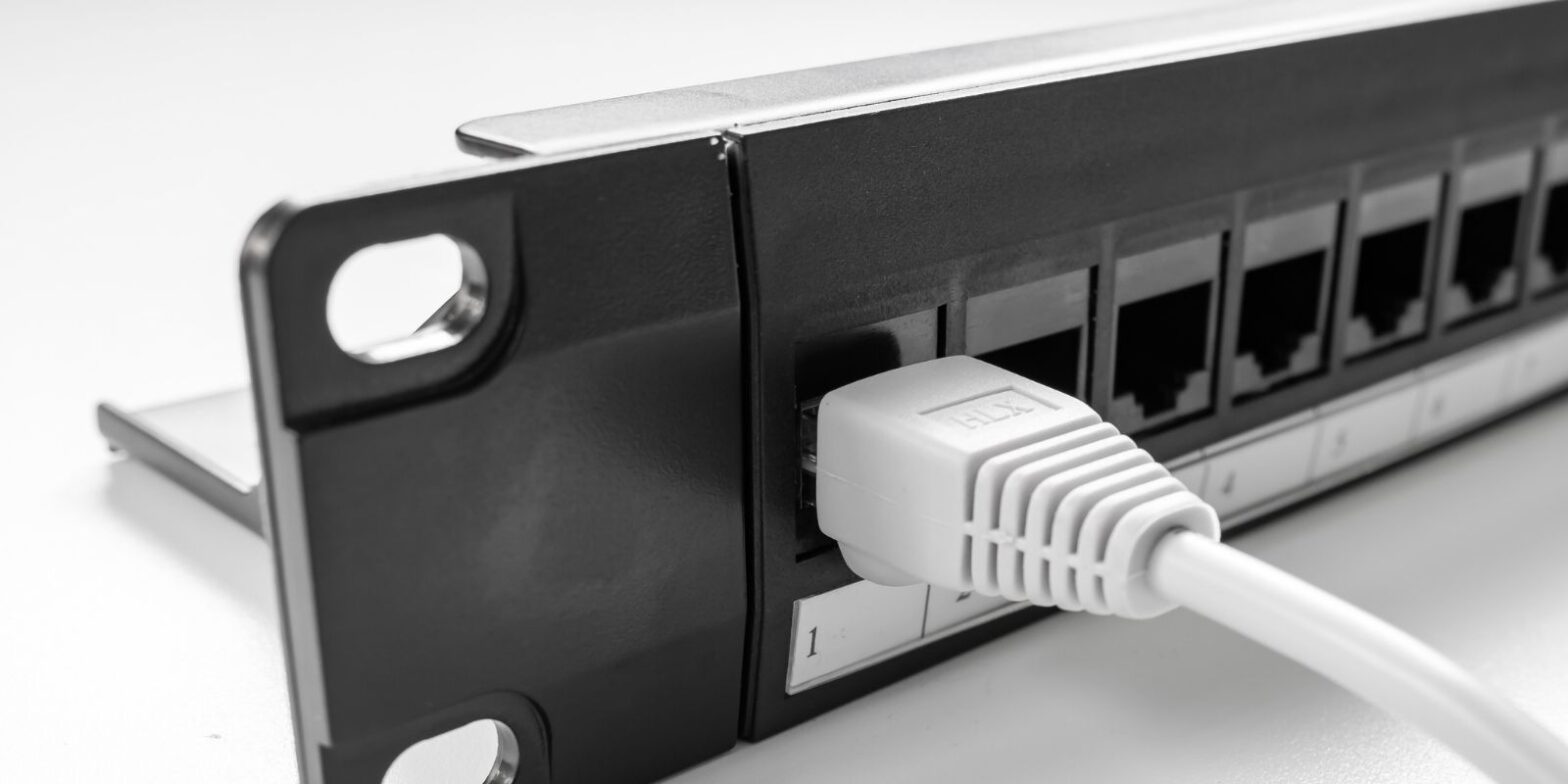
Een Ethernet-patchpaneel is een passief hardwareapparaat dat permanente gebouwbekabeling beëindigt en organiseert op één gecentraliseerde locatie. In tegenstelling tot actieve apparaten die gegevens verwerken, biedt een patchpaneel eenvoudig gestructureerde beëindigingspunten voor elke Ethernet-kabelrun, waardoor een schone, schaalbare basis voor elk netwerk wordt gecreëerd.
Of u nu een huis bedraadt, een kantoorruimte opwaardeert of een klein serverrek bouwt, het begrijpen van hoe een Ethernet-patchpaneel werkt en hoe het verschilt van een switch, is essentieel voor langdurige netwerkprestaties en efficiëntie.
Wat is een Ethernet-patchpaneel?
Een Ethernet-patchpaneel is typisch een metalen frame met rijen RJ45-poorten aan de voorkant en punch-down of keystone-terminaties aan de achterkant. Elke in-wall Ethernet-kabel van kamers of wandcontactdozen wordt aangesloten op de achterkant van het patchpaneel, waardoor een gecentraliseerd beëindigingspunt ontstaat.
Aan de voorkant verbinden korte patchkabels paneelpoorten met actieve netwerkapparatuur zoals switches of routers. Er is geen interne verbinding tussen poorten. Het patchpaneel verwerkt geen verkeer of inspecteert geen pakketten, het verlengt eenvoudig elke kabel op een georganiseerde en beheersbare manier.
Deze gecentraliseerde lay-out is fundamenteel voor gestructureerde bekabelingsnormen die in zakelijke omgevingen worden gebruikt.
Hoe een Ethernet-patchpaneel werkt in een gestructureerd bekabelingssysteem
In een typisch gestructureerd netwerk:
Wandcontactdoos → in-wall solid-core kabel → patchpaneel → korte patchkabel → switch.
Aan de achterkant wordt elke kabel doorgeprikt volgens de T568A- of T568B-bekabelingsschema's. Aan de voorkant verbinden flexibele patchkabels met switches of andere apparatuur.
Omdat het Ethernet-patchpaneel passief is, stuurt het geen gegevens door of beïnvloedt het de transmissielogica. Het fungeert als een statisch uitbreidingspunt, behoudt signaalcontinuïteit terwijl het permanente bekabeling scheidt van vaak veranderde verbindingen.
Bijvoorbeeld, in een kantoor met 16 bureaus, eindigen 16 in-wall kabelruns op een 24-poorts patchpaneel. Korte patchkabels verbinden vervolgens die poorten met een 24-poorts switch. Als een bureau naar een ander VLAN verhuist, verandert alleen de patchkabel, niet de in-wall installatie.
Patchpaneel versus switch: het verschil begrijpen
Veel gebruikers verwarren deze twee apparaten, maar hun rollen zijn fundamenteel verschillend. Een patchpaneel organiseert en beëindigt kabels, terwijl een switch actief Ethernet-frames tussen apparaten doorstuurt.
Patchpaneel versus switch vergelijking
| Functie | Patchpaneel | Schakelaar |
|---|---|---|
| Apparaattype | Passieve hardware | Actief netwerkapparaat |
| Stroom vereist | Nee | Ja |
| Hoofdfunctie | Organiseert en beëindigt kabels | Stuurt gegevens tussen apparaten door |
| Pakketverwerking | Geen | Laag 2 of Laag 3 verwerking |
| Interne connectiviteit | Geen verbinding tussen poorten | Poorten onderling verbonden via switch fabric |
| Primaire doel | Kabelbeheer | Verkeersverdeling |
Het verwijderen van de switch zou alle kabels fysiek verbonden laten, maar zonder datatransmissiemogelijkheid.
Beide apparaten werken samen, de een biedt structuur, de ander maakt connectiviteit mogelijk.
Waarom een Ethernet-patchpaneel gebruiken?
- Kabelbeheer: Zonder een patchpaneel worden lange in-wall kabelruns direct in switches gestoken, wat rommel en stress op switchpoorten creëert. Een paneel verbetert kabelbeheer door permanente runs vast en gelabeld te houden.
- Schaalbaarheid en efficiëntie: Nieuwe runs toevoegen of poorten opnieuw toewijzen wordt eenvoudig. Dit verhoogt de operationele efficiëntie en vermindert downtime.
- Bescherming van netwerkapparatuur: Frequente in- en uitplugcycli gebeuren op goedkope patchkabels in plaats van dure switchpoorten, waardoor de levensduur van netwerkapparatuur wordt verlengd.
- Problemen oplossen en prestatiestabiliteit: Duidelijk gelabelde poorten maken snellere diagnostiek mogelijk, waardoor de onderhoudsefficiëntie en de algehele netwerkprestaties verbeteren.
Soorten Ethernet-patchpanelen
Koperen patchpanelen
De meeste installaties gebruiken koperen Ethernet-patchpaneelmodellen die Cat5e-, Cat6-, Cat6a- of Cat8-kabelnormen ondersteunen.
Veelvoorkomende poortdichtheidsopties zijn onder andere 12-poorts, 24-poorts en 48-poorts. Hogere dichtheidspanelen zijn ideaal voor rack-mount omgevingen in zakelijke omgevingen.
Keystone-patchpanelen
Een keystone-patchpaneel gebruikt modulaire keystone-jacks, waardoor flexibiliteit ontstaat om Ethernet, glasvezel of andere connectors te mixen. Keystone-ontwerpen vergroten de aanpassing en aanpasbaarheid.
Afgeschermde versus niet-afgeschermde panelen
Afgeschermde panelen worden gebruikt in omgevingen met hoge EMI en vereisen goede aarding. Niet-afgeschermde panelen zijn gebruikelijk in residentiële en laag-interferentiegebieden. Afgeschermde installaties vereisen correcte aardingstechnieken om signaalintegriteit en prestaties te behouden.
Rack-mount versus wandmontage patchpanelen
De meeste zakelijke installaties gebruiken rack-mount panelen in 19-inch racks. Dit maakt georganiseerde integratie met switches en andere apparatuur mogelijk. In kleinere omgevingen bieden wandmontageversies compacte oplossingen zonder volledige racks. De keuze tussen rack-mount en wandmontage hangt af van beschikbare ruimte, poortdichtheidseisen en toekomstige uitbreidingsplannen.
Cat6e en Ethernet-patchpanelen: de verwarring ophelderen
U kunt verwijzingen naar Cat6e zien, maar Cat6e is geen officiële TIA/EIA-standaard. Het is grotendeels een marketingterm. Officiële standaarden zijn onder andere: Cat5e, Cat6, Cat6a en Cat8. Bij het selecteren van een patchpaneel, stem de categoriërating af op uw geïnstalleerde kabel om consistente transmissiemogelijkheid en prestaties te behouden.
Terminologie verifiëren en subtiele naamverschillen begrijpen is essentieel in netwerken, net zoals het controleren van precieze woordonderscheidingen via referentietools zoals synonymer.it.com om verwarring tussen vergelijkbare technische labels te voorkomen.
Cat6 versus Cat8 Ethernet-kabel
Bij het koppelen van kabels met een patchpaneel, is categoriecompatibiliteit belangrijk.
Cat6 ondersteunt 1G tot 100 meter en 10G tot kortere afstanden.
Cat8 ondersteunt 25G of 40G maar is meestal beperkt tot 30 meter en wordt voornamelijk gebruikt in datacenters. Voor de meeste thuis- en kantoornetwerkopstellingen biedt Cat6 of Cat6a voldoende prestaties en toekomstbestendigheid zonder onnodige kosten.
Cat8 versus Cat6: Heeft u echt Cat8 nodig?
Cat8 biedt hogere afscherming en snellere transmissiesnelheden, inclusief ondersteuning voor 10G en verder. Het vereist echter volledig afgeschermde componenten. Het heeft een kortere maximale afstand. Het is duurder. Voor typische gestructureerde Ethernet-implementaties is Cat6 of Cat6a praktischer en kosteneffectiever.
Installatie beste praktijken
Juiste installatie bepaalt de prestaties meer dan het switchmodel zelf.
Belangrijke overwegingen:
- Behoud minimale twist bij het doorprikken van kabel.
- Gebruik correct bekabelingsstandaard (T568A of T568B) consequent.
- Vermijd het onjuist mixen van afgeschermde en niet-afgeschermde componenten.
- Zorg voor goede aarding in afgeschermde systemen.
- Beveilig kabels om spanning te voorkomen.
Moderne gereedschapsloze keystone-panelen vereenvoudigen de installatie, terwijl traditionele punch-down panelen goede gereedschappen vereisen voor betrouwbare beëindiging.
Onjuiste beëindiging kan de transmissiekwaliteit verminderen en de netwerkprestaties, zelfs met high-end hardware.
Wanneer u een patchpaneel, een switch of beide nodig heeft
Alleen switch: Kleine thuisopstellingen met apparaten in de buurt van de router hebben mogelijk geen patchpaneel nodig.
Patchpaneel + switch: Meerdere kamers met in-wall kabelruns profiteren van een gecentraliseerde patchpaneel- en switchcombinatie.
Het patchpaneel organiseert kabels. De switch maakt Ethernet-communicatie mogelijk. Samen creëren ze een schaalbare, professionele netwerkbasis.
Laatste gedachten
Een Ethernet-patchpaneel gaat niet alleen over organisatie, het gaat over gestructureerde efficiëntie, langdurig kabelbeheer, bescherming van netwerkapparatuur en schaalbaar netwerkontwerp.
Voor serieuze thuisinstallaties en zakelijke omgevingen zorgt het koppelen van een correct beoordeeld patchpaneel met compatibele kabelstandaarden en een betrouwbare switch voor stabiele transmissie, sterke prestaties en vereenvoudigde uitbreiding.
De juiste keuze maken, keystone, afgeschermd, niet-afgeschermd, rack-mount of wandmontage, hangt af van uw ruimte, interferentieomgeving en toekomstige groeiplannen.
In gestructureerde bekabeling presteren duidelijkheid en planning altijd beter dan shortcuts.

César Daniel Barreto is een gewaardeerd schrijver en expert op het gebied van cyberbeveiliging, die bekend staat om zijn diepgaande kennis en zijn vermogen om complexe onderwerpen op het gebied van cyberbeveiliging te vereenvoudigen. Met zijn uitgebreide ervaring in netwerk beveiliging en gegevensbescherming draagt hij regelmatig bij aan inzichtelijke artikelen en analyses over de nieuwste cyberbeveiligingstrends, waarmee hij zowel professionals als het publiek voorlicht.
 Dutch
Dutch  English
  German
  Danish
  Italian
  Swedish
  Romanian
  Thai
Thai  Vietnamese
  Japanese
  Korean
  Arabic
  Hungarian