Wi-Fi versus internet: Wat is eigenlijk het verschil
februari 16, 2026 • César Daniel Barreto

In today’s digital age, the terms “Wi-Fi” and “Internet” are often used interchangeably, leading to confusion. But Wi-Fi and the internet are two fundamentally different things, and understanding the distinction isn’t just a technicality. It’s the difference between diagnosing a connectivity problem in five minutes and spending an hour rebooting the wrong device.
This guide breaks down what Wi-Fi and the internet actually are, how they work together, what happens when one fails without the other, and how to set up and troubleshoot both effectively.
Wi-Fi vs Internet: The Core Difference
The internet is a massive global network of interconnected computers, servers, and data centers. It’s the infrastructure that delivers everything you access online: websites, streaming, email, video calls. More than 5 billion people worldwide use it, and it runs on physical infrastructure including undersea cables, fiber optic lines, and data centers.
Wi-Fi is a wireless technology that connects your devices to a local router using radio waves. That router connects to the internet through your modem and ISP. Wi-Fi is one method of accessing the internet, but it is not the internet itself.
Think of it this way: the internet is the highway system connecting every city in the world. Wi-Fi is the on-ramp at your house. The on-ramp can be wide open while the highway is jammed, or the highway can be clear while your on-ramp is blocked.
| Aspect | Wi-Fi | Internet |
|---|---|---|
| What it is | Local wireless networking technology | Global network of computers and servers |
| Range | 50–100 feet indoors | Worldwide |
| Function | Connects devices to your router wirelessly | Provides access to online content and services |
| Works without the other? | Yes, for local device communication only | Yes, via Ethernet, cellular data, etc. |
How Wi-Fi and the Internet Work Together

In a typical home or office setup, Wi-Fi and the internet are part of a chain that goes from the global network all the way to your device.
Your ISP delivers an internet connection to your home through physical infrastructure, fiber optic cable, coaxial cable (cable internet), copper phone lines (DSL), or in some cases, a cellular signal (fixed wireless / 5G home internet).
Your modem receives that signal and translates it into data your local network can use. The modem is your gateway to the internet. Without it (or without ISP service), nothing in your home can reach the outside internet.
Your router takes the internet connection from the modem and distributes it to your devices. It creates a local area network (LAN) and manages traffic between your devices and the internet. Many modern setups use a combined modem-router unit (often called a gateway), which handles both functions in one device.
Wi-Fi is the wireless signal your router broadcasts. When your phone connects to “MyHomeNetwork,” it’s connecting to your router via Wi-Fi. The router then forwards your requests to the modem, which sends them out to the internet.
This chain means there are multiple potential failure points. Your Wi-Fi can be working perfectly, full signal bars on your phone, while the internet is completely down because of an ISP outage. Conversely, your internet service can be fine while your Wi-Fi is dropping connections because of router interference or range issues.
Modem vs Router
A modem connects to your ISP’s network and bridges the gap between their infrastructure and your home. A router connects to the modem and distributes the internet to multiple devices, broadcasting Wi-Fi.
Many ISPs provide a combined modem-router unit (a “gateway”). They also typically charge $10–15 per month to rent it. Purchasing your own compatible modem ($60–100) and router ($100–200) usually pays for itself within a year, with better hardware and more control.
Why Full Wi-Fi Bars Don’t Mean Fast Internet
Your device’s Wi-Fi indicator measures only the wireless connection strength between your device and your router. It says nothing about your actual internet speed. You can have full bars and zero internet access during an ISP outage. You can also have full bars but crawling speeds if your plan is 25 Mbps and four people are streaming.
Conversely, weak Wi-Fi (one bar) but fast speeds over Ethernet tells you the problem is wireless, not your internet service.
Troubleshooting: Wi-Fi Problem or Internet Problem?
When your connection isn’t working, the first question to answer is: is this a Wi-Fi issue or an internet issue? Here’s how to figure it out.
Step 1: Check if the internet itself is working
Plug a computer directly into your router (or modem) using an Ethernet cable. If you can load websites through the wired connection, your internet service is fine, the problem is your Wi-Fi. If you can’t load anything even with a direct wired connection, the issue is likely with your modem, your ISP, or your internet service.
Step 2: Diagnose Wi-Fi problems
If the internet works over Ethernet but not wirelessly, the issue is with your Wi-Fi. Common causes include router placement that’s too far from your devices or blocked by walls and floors, interference from other electronics (microwaves, baby monitors, neighboring Wi-Fi networks), an overloaded router struggling with too many connected devices, or outdated router firmware that needs updating.
Step 3: Diagnose internet problems
If even a direct wired connection doesn’t work, try restarting your modem (unplug for 30 seconds, plug back in, wait two minutes). Check your ISP’s status page or app for reported outages in your area. If the problem persists, contact your ISP, the issue is likely on their end.
Knowing which half of the equation is broken saves time, reduces frustration, and keeps you from replacing a perfectly good router when the real problem is an ISP outage two miles away.
Internet Connection Types
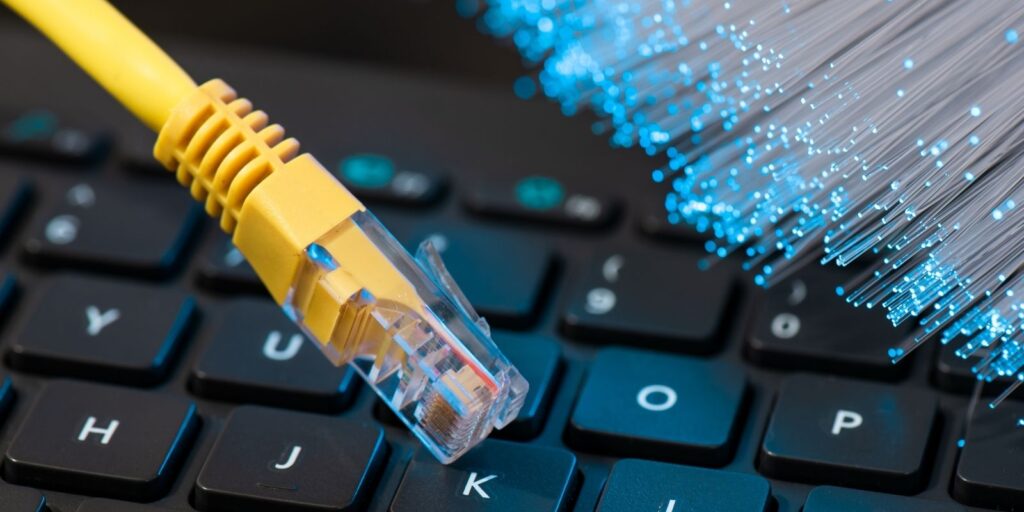
Fiber offers the fastest speeds (1–10 Gbps), lowest latency, and symmetrical upload/download, but isn’t available everywhere.
Cable is widely available at 100 Mbps–1 Gbps but slows during neighborhood peak hours.
DSL runs over phone lines, widely available but slower (10–100 Mbps).
5G home internet uses cellular towers, increasingly popular in rural areas, delivering 100–300 Mbps in good conditions.
Satellite reaches the most remote areas but traditionally suffers from high latency, though newer low-orbit services have improved significantly.
Tips for Optimizing Your Network
Place your router centrally and elevated, away from thick walls and electronics. Use Ethernet for stationary, bandwidth-heavy devices like gaming consoles and desktop computers. Upgrade your router if it’s more than 4–5 years old, if it doesn’t support at least Wi-Fi 6, you’re likely leaving performance on the table. Check that your internet plan matches your household’s actual usage; for moderate-to-heavy use with multiple devices, 200–500 Mbps provides comfortable headroom.
Veelgestelde vragen
Is Wi-Fi and internet the same thing?
No. The internet is the global network that stores and delivers online content. Wi-Fi is a wireless technology that connects your devices to a local router, which then connects to the internet. Wi-Fi is one way to access the internet, not the internet itself.
Can you have Wi-Fi without internet?
Yes. A router broadcasts a Wi-Fi signal even without active internet service. Devices can connect locally, streaming files between devices or printing wirelessly, but you won’t be able to access websites or online services.
Why do I have full Wi-Fi bars but slow internet?
Full bars mean a strong connection to your router, not fast internet. Slow speeds could stem from ISP congestion, too many devices sharing a limited plan, an older router bottlenecking your connection, or a partial outage on your ISP’s end.
Is it worth buying my own modem and router?
Usually yes. ISP rental fees of $10–15/month add up to $240–540 over two to three years. Buying your own equipment typically pays for itself within a year and gives you better performance and more control.
Laatste gedachten
Wi-Fi and the internet are two links in the same chain, but they fail independently and require different fixes. The internet is the global network. Wi-Fi is your wireless connection to it. When things aren’t working, figure out which one is the problem before you start unplugging things.

César Daniel Barreto
César Daniel Barreto is een gewaardeerd schrijver en expert op het gebied van cyberbeveiliging, die bekend staat om zijn diepgaande kennis en zijn vermogen om complexe onderwerpen op het gebied van cyberbeveiliging te vereenvoudigen. Met zijn uitgebreide ervaring in netwerk beveiliging en gegevensbescherming draagt hij regelmatig bij aan inzichtelijke artikelen en analyses over de nieuwste cyberbeveiligingstrends, waarmee hij zowel professionals als het publiek voorlicht.
 Dutch
Dutch  English
  German
  Danish
  Italian
  Swedish
  Romanian
  Thai
Thai  Vietnamese
  Japanese
  Korean
  Arabic
  Hungarian