Configurație cu trei monitoare pentru gaming
19 februarie 2026 • César Daniel Barreto
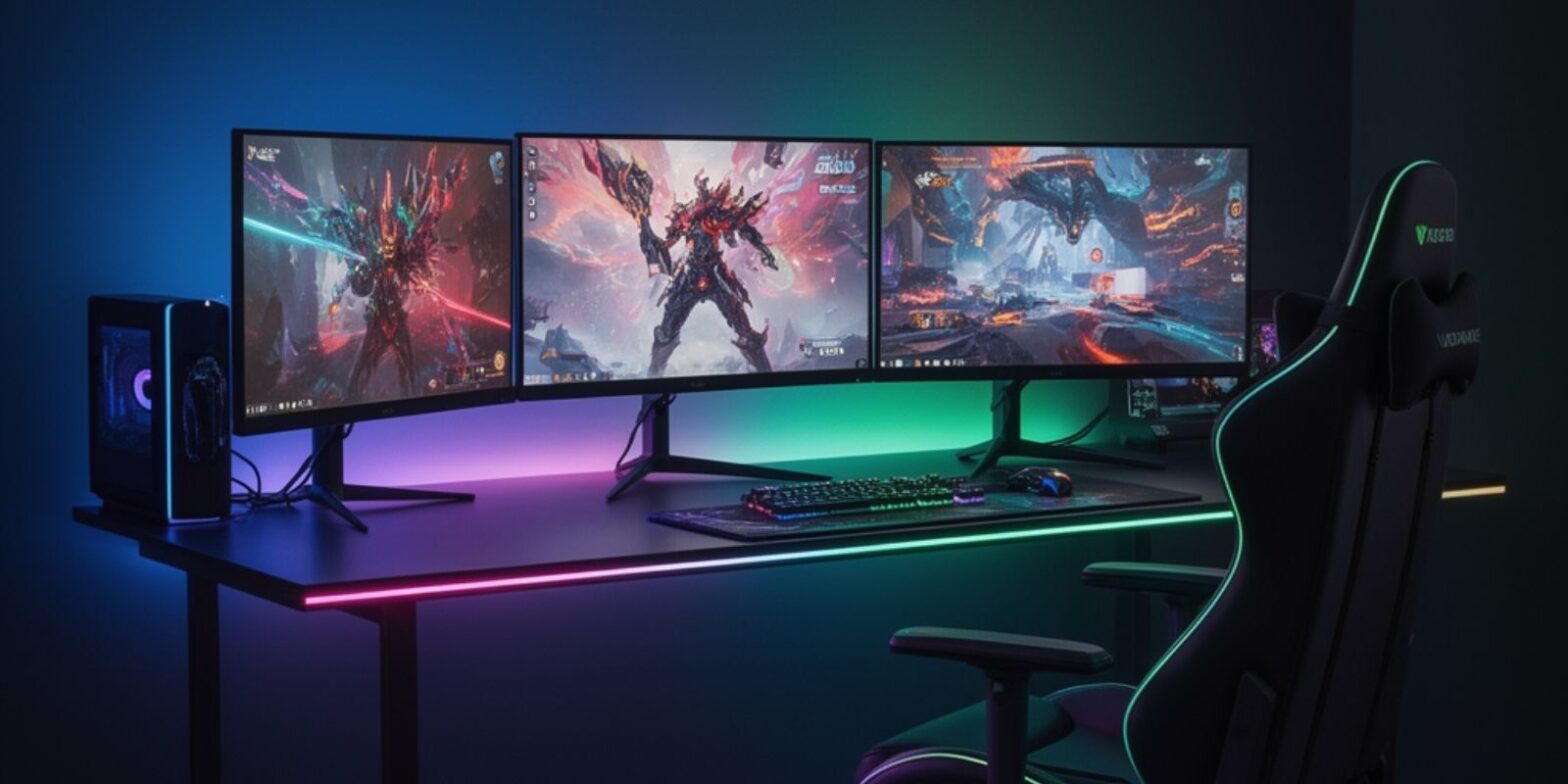
O configurație cu trei monitoare este adesea înțeleasă greșit ca fiind pur și simplu “mai mult spațiu pe ecran”. În realitate, atunci când este proiectată corespunzător, o configurație cu trei monitoare devine un sistem vizual structurat care îmbunătățește imersiunea, îmbunătățește conștientizarea spațială în jocuri și crește productivitatea dincolo de ceea ce poate oferi un singur ecran sau un ecran ultrawide. O configurație cu 3 monitoare proiectată cu atenție schimbă modul în care se comportă fluxurile de randare, cum procesează utilizatorii informațiile vizuale și cum operează fluxurile de lucru multitasking în timp real.
Pentru gameri, această configurație poate extinde dramatic câmpul vizual în simulări și medii open-world. Pentru creatori și profesioniști, permite adevăratul multitasking fără schimbări constante de context. Cu toate acestea, obținerea acestor beneficii necesită mai mult decât conectarea a trei ecrane. Necesită atenție la scalarea rezoluției, gestionarea ratei de reîmprospătare, calitatea cablurilor, poziționarea ergonomică și optimizarea sistemului.
Acest ghid explorează fiecare strat în detaliu, arhitectura hardware, instalarea, compatibilitatea, planificarea costurilor, calibrarea și depanarea, astfel încât configurația să funcționeze fiabil în condiții de gaming și productivitate solicitante.
Scalarea Performanței și Cerințele de Rezoluție
Când se extinde de la un ecran la trei, cea mai imediată consecință tehnică este multiplicarea pixelilor. Rezoluția se scalează orizontal, dar sarcina GPU se scalează pe întregul flux de randare, texturi, shadere, lățime de bandă a memoriei și tamponare a cadrelor.
Tabelul următor ilustrează cum impactează rezoluția încărcarea pixelilor:
| Configurație | Rezoluție Totală | Total Pixeli (Aprox.) | Încărcare Relativă GPU |
|---|---|---|---|
| Unic 1080p | 1920×1080 | 2,07 milioane | Bază |
| 3×1080p | 5760×1080 | 6,22 milioane | ~3× 1080p |
| Unic 1440p | 2560×1440 | 3,68 milioane | Moderat |
| 3×1440p | 7680×1440 | 11,05 milioane | Foarte mare |
| 4K | 3840×2160 | 8,29 milioane | Înalt |
Triple 1080p împinge aproape 75% din numărul de pixeli al 4K. Triple 1440p depășește semnificativ 4K. Acest lucru înseamnă că o configurație cu trei monitoare nu este pur și simplu “de trei ori mai grea” decât gaming-ul pe un singur 1080p; adesea stresează memoria și lățimea de bandă în moduri comparabile sau chiar mai mari decât 4K.
Rata de reîmprospătare amplifică și mai mult această cerință. Randarea la 5760×1080 la 144Hz necesită semnificativ mai mult spațiu de manevră GPU decât randarea la 60Hz. Stabilitatea depinde nu doar de puterea brută a GPU-ului, ci și de optimizarea driverelor și capacitatea de răcire.
Pentru un gameplay fluid, mulți utilizatori folosesc tehnici de optimizare a performanței, cum ar fi scalarea dinamică a rezoluției, DLSS sau FSR și reducerea selectivă a umbrelor. Optimizarea corectă asigură o sincronizare consistentă a cadrelor pe toate cele trei ecrane.
Infrastructura de Cabluri și Integritatea Semnalului
În sistemele cu mai multe ecrane, calitatea cablurilor devine critică. Un singur cablu instabil poate perturba întreaga configurație.
O configurație cu trei monitoare necesită trei conexiuni de cablu independente, fiecare capabilă să suporte rezoluția și rata de reîmprospătare intenționată. Alegerea unor cabluri de calitate inferioară poate limita lățimea de bandă sau poate introduce pâlpâiri la rate de cadre mai mari.
Considerații importante pentru cabluri includ:
- Certificare pentru lățimea de bandă necesară.
- Rutare a cablurilor de lungime egală pentru o instalare mai curată.
- Construcție de cabluri ecranate pentru distanțe mai lungi.
- Conectori de blocare siguri.
Dacă este necesară conversia între tipurile de porturi, ar trebui folosit un adaptor activ în loc de unul pasiv. Un adaptor activ menține integritatea semnalului atunci când se convertește DisplayPort la HDMI, în special într-o configurație cu 3 monitoare care operează la rezoluție înaltă.
Unele sisteme se bazează pe un adaptor de andocare pentru ieșiri suplimentare. Înainte de achiziție, confirmați compatibilitatea între lățimea de bandă a ieșirii GPU și capacitățile adaptorului. Un adaptor subdimensionat poate restricționa rezoluția sau rata de reîmprospătare în mod neașteptat.
Gestionarea corectă a cablurilor contribuie, de asemenea, la stabilitatea pe termen lung. Tensiunea pe porturi poate degrada conexiunile în timp, astfel încât cablurile ar trebui să fie asigurate în spatele biroului și susținute de canale sau manșoane pentru cabluri.
Selecția Monitoarelor, Acuratețea Culorilor și Calibrarea
Consistența între panouri determină dacă o configurație cu trei monitoare se simte coerentă sau fragmentată. Ecranele nepotrivite produc adesea diferențe de culoare vizibile, variații de luminozitate și scalare inegală.
Pentru imersiunea în jocuri, trei panouri identice sunt ideale. Tipul uniform de panou, rezoluția și rata de reîmprospătare asigură continuitatea vizuală.
Cu toate acestea, chiar și monitoarele identice necesită calibrare. Profilele de culoare din fabrică diferă frecvent ușor. Fără calibrare, schimbările subtile de culoare între ecrane pot reduce imersiunea și solicita ochii.
Un proces structurat de calibrare include:
- Potrivirea nivelurilor de luminozitate.
- Ajustarea balansului de alb.
- Sincronizarea setărilor de gamma.
- Reglarea fină a temperaturii culorii.
Instrumentele software pot ajuta la calibrarea de bază, în timp ce metrii de culoare hardware oferă rezultate mai precise. Calibrarea regulată ajută la menținerea consistenței pe măsură ce panourile îmbătrânesc.
Importanța consistenței culorilor se extinde dincolo de jocuri. Pentru sarcini de productivitate, cum ar fi editarea video sau designul, reproducerea precisă a culorilor asigură rezultate fiabile pe mai multe ecrane. Menținerea unei calibrări consistente între panouri sprijină respectarea standardelor de acuratețe vizuală, în special în fluxurile de lucru în care chiar și deviațiile minore de culoare pot afecta calitatea ieșirii și consistența între ecrane.
Inginerie Ergonomică și Aliniere
O configurație cu trei monitoare trebuie să fie ergonomică pentru a preveni oboseala în timpul sesiunilor extinse.
O configurație ergonomică necesită:
- Monitorul central direct în fața utilizatorului.
- Monitoarele laterale înclinate spre interior.
- Distanță egală de vizualizare pe toate ecranele.
- Înălțimea ecranului ușor sub nivelul ochilor.
Alinierea corectă asigură că fiecare ecran rămâne echidistant de privitor. Alinierea slabă crește rotația gâtului și tensiunea umerilor.
Două suporturi ajustabile sau un suport cu trei brațe permit ajustarea precisă a înălțimii și înclinării. Suporturile dedicate permit, de asemenea, corecții micro-aliniere care mențin postura ergonomică în timp.
Adâncimea biroului joacă un rol critic în stabilitatea ergonomică. Ideal, biroul ar trebui să permită monitoarelor să stea la cel puțin 50–65 cm de utilizator. Adâncimea insuficientă forțează aplecarea înainte, ceea ce compromite postura ergonomică.
O configurație ergonomică beneficiază nu doar confortul în jocuri, ci și productivitatea în timpul sesiunilor extinse de multitasking.
Strategia de Instalare și Verificarea Compatibilității
Procesul de instalare ar trebui să fie metodic. Instalarea grăbită duce adesea la probleme de compatibilitate sau depanare inutilă.
Înainte de a alimenta sistemul:
- Conectați fiecare cablu în siguranță.
- Confirmați că orice adaptor este activ și evaluat pentru lățimea de bandă necesară.
- Verificați capacitatea de ieșire a GPU-ului.
- Asigurați suporturile sau hardware-ul de montare.
După instalarea fizică, configurați ordinea ecranelor în setările sistemului. Fiecare monitor ar trebui să fie testat independent înainte de a activa modul de afișare extinsă.
Verificările de compatibilitate trebuie să includă:
- Versiunea driverului GPU.
- Actualizări de firmware pentru monitoare.
- Rezoluția și rata de reîmprospătare suportate.
- Specificațiile adaptorului.
Instalarea corectă reduce probabilitatea problemelor de detectare a ecranului sau a comportamentului inconsistent.
Configurarea Software-ului de Gaming și Optimizarea
Gaming-ul pe mai multe ecrane necesită configurare software dincolo de extensia standard a afișajului.
Panourile de control GPU permit gruparea ecranelor într-o suprafață unificată. Cu toate acestea, nu fiecare joc suportă aspectele ultra-wide în mod egal. Unele titluri întind elementele UI sau aliniază greșit componentele HUD.
Tehnicile de optimizare includ:
- Ajustarea câmpului vizual (FOV).
- Limitarea ratei de cadre pentru stabilitate.
- Activarea controalelor de sincronizare a cadrelor.
- Reducerea caracteristicilor grafice cu costuri ridicate.
Configurarea corectă a software-ului asigură că randarea rămâne fluidă pe întreaga lățime a aranjamentului de afișare.
Integrarea Productivității și Multitasking-ului
Deși gaming-ul stimulează interesul pentru o configurație cu trei monitoare, câștigurile de productivitate sunt la fel de semnificative.
O configurație cu trei monitoare permite:
- Gaming pe ecranul central.
- Monitorizarea software-ului de streaming pe o parte.
- Gestionarea chat-ului sau cercetarea pe cealaltă parte.
Acest multitasking structurat reduce schimbările de context și îmbunătățește fluiditatea fluxului de lucru.
Pentru medii profesionale de productivitate, ecranele suplimentare sprijină: Tablouri de bord de date, instrumente creative, platforme de comunicare, etc.
Adevărata productivitate într-o configurație cu 3 monitoare provine din organizarea spațială. Atribuirea funcțiilor specifice fiecărui ecran previne aglomerarea vizuală și îmbunătățește eficiența cognitivă.
Planificarea Costurilor și Considerațiile de Brand
Costul total al unei configurații cu trei monitoare se extinde dincolo de monitoarele în sine.
Cheltuielile pot include:
- Trei unități de afișare.
- Trei conexiuni de cablu certificate.
- Cel puțin un adaptor potențial.
- Suporturi ajustabile sau hardware de montare.
- Posibilă actualizare a GPU-ului.
Selecția brandului influențează consistența panoului, calitatea construcției și acoperirea garanției. Alegerea unui singur brand îmbunătățește adesea uniformitatea între ecrane.
Tabelul următor conturează nivelurile tipice de cost:
| Nivel | Tip Monitor | Nivel GPU Necesar | Gama Aproximativă de Costuri |
|---|---|---|---|
| Intrare | 3×1080p 75Hz | GPU de gamă medie | Moderat |
| Performanță | 3×1080p 144Hz | GPU de gamă superioară medie | Mai înalt |
| Premium | 3×1440p 144Hz+ | GPU de înaltă performanță | Semnificativ |
Planificarea costurilor pe termen lung ar trebui să ia în considerare și consumul de energie și compatibilitatea cu viitoarele upgrade-uri.
Depanarea și Menținerea Stabilității
Chiar și sistemele bine proiectate pot necesita depanare ocazională.
Problemele comune includ:
- Monitorul nu este detectat.
- Rezoluție inconsistentă.
- Căderea semnalului din cauza eșecului adaptorului.
- Pâlpâiri la rată de reîmprospătare înaltă.
Depanarea structurată implică:
- Testarea fiecărui cablu independent.
- Înlocuirea hardware-ului adaptorului suspect.
- Actualizarea driverelor GPU.
- Resetarea grupării afișajului.
Majoritatea procesul de depanare scenariilor se urmăresc fie la calitatea cablului, limitările adaptorului sau inconsistențele driverului.
Mentenanța regulată a sistemului, inclusiv actualizările driverelor și verificările de calibrare, ajută la păstrarea stabilității în timp.
Optimizarea pe Termen Lung și Sustenabilitatea
Pe măsură ce GPU-urile și monitoarele evoluează, o configurație cu trei monitoare ar trebui să rămână adaptabilă.
Strategiile de viitor includ:
- Selectarea monitoarelor cu standarde moderne de intrare.
- Asigurarea compatibilității cu GPU-urile de generație următoare.
- Menținerea spațiului de manevră pentru ținte de rată de reîmprospătare mai înalte.
Optimizarea nu este un proces unic. Reglajul periodic al performanței și recalibrarea asigură calitatea consistentă pe parcursul ciclului de viață al sistemului.
Întrebări Frecvente
Este o configurație cu trei monitoare mai bună decât un monitor ultrawide?
O configurație cu trei monitoare oferă de obicei un câmp vizual total mai larg decât majoritatea afișajelor ultrawide. Este ideală pentru simulare și jocuri imersive. Cu toate acestea, monitoarele ultrawide oferă un aspect mai curat fără întreruperi de ramă și o instalare mai simplă. Cea mai bună opțiune depinde de spațiul de pe birou, puterea GPU-ului și preferințele personale.
Ce GPU este necesar pentru o configurație cu 3 monitoare?
O configurație cu 3 monitoare care rulează triple 1080p la 60Hz poate funcționa cu un GPU de gamă medie puternic. Triple 1440p la rată de reîmprospătare înaltă necesită o placă grafică de înaltă performanță cu suficient VRAM. GPU-ul trebuie să suporte, de asemenea, cel puțin trei ieșiri de afișare simultane.
Toate jocurile suportă o configurație cu trei monitoare?
Nu. Jocurile de simulare și curse suportă de obicei randarea triple-wide corect. Unele titluri competitive sau mai vechi pot întinde interfața sau limita câmpul vizual. În aceste cazuri, mulți utilizatori joacă pe ecranul central și folosesc monitoarele laterale pentru productivitate.
Pot folosi un adaptor pentru a conecta al treilea monitor?
Da, dar un adaptor activ este recomandat pentru conversia stabilă a semnalului, mai ales atunci când se convertește DisplayPort la HDMI. Un adaptor de calitate inferioară poate limita rezoluția sau poate cauza pâlpâiri.
Monitoarele trebuie să se potrivească?
Monitoarele potrivite sunt puternic recomandate. Utilizarea aceleași rezoluții, rate de reîmprospătare și tip de panou asigură o mai bună consistență a culorilor și o performanță mai lină. Calibrarea poate ajuta, dar panourile identice oferă cele mai bune rezultate.
Este o configurație cu trei monitoare bună pentru productivitate?
Da. O configurație cu trei monitoare îmbunătățește productivitatea prin permiterea multitasking-ului structurat. Utilizatorii pot dedica fiecare ecran la sarcini diferite, reducând schimbările constante de ferestre și îmbunătățind eficiența fluxului de lucru.
Cât spațiu pe birou este necesar?
O adâncime a biroului de cel puțin 70–80 cm este ideală. Poziționarea ergonomică corectă necesită suficientă distanță pentru a menține o aliniere confortabilă și a reduce tensiunea.
Care sunt problemele comune de depanare?
Problemele tipice de depanare includ erori de detectare a afișajului, nepotriviri de rezoluție, instabilitate a ratei de reîmprospătare sau conexiuni defectuoase de cablu și adaptor. Actualizarea driverelor și verificarea conexiunilor rezolvă de obicei majoritatea problemelor.
Perspectiva Finală
O configurație cu trei monitoare este o alegere deliberată de inginerie. Extinde imersiunea, îmbunătățește productivitatea și permite fluxuri de lucru multitasking avansate. Cu toate acestea, obținerea acestor beneficii necesită planificare structurată - integritatea cablurilor, poziționarea ergonomică, acuratețea calibrării, verificarea compatibilității, gestionarea costurilor și optimizarea software-ului.
Atunci când este executată corect, o configurație cu trei monitoare devine mai mult decât spațiu extins pe ecran. Devine o platformă vizuală integrată care susține precizia în jocuri și productivitatea profesională simultan.

César Daniel Barreto este un apreciat scriitor și expert în securitate cibernetică, cunoscut pentru cunoștințe aprofundate și capacitatea de a simplifica subiecte complexe de securitate cibernetică. Cu o vastă experiență în securitatea și protecția securitate a rețelelor și protecția datelor, contribuie în mod regulat cu articole perspicace și analize privind cele mai recente tendințe în domeniul securității cibernetice, educând atât profesioniștii, cât și publicul.
 Romanian
  English
  German
  Danish
  Italian
  Swedish
  Thai
Thai  Vietnamese
  Japanese
  Dutch
Dutch  Korean
  Arabic
  Hungarian