Panou de patch-uri Ethernet: Ghid complet pentru cablare structurată, performanță și configurare
25 februarie 2026 • César Daniel Barreto
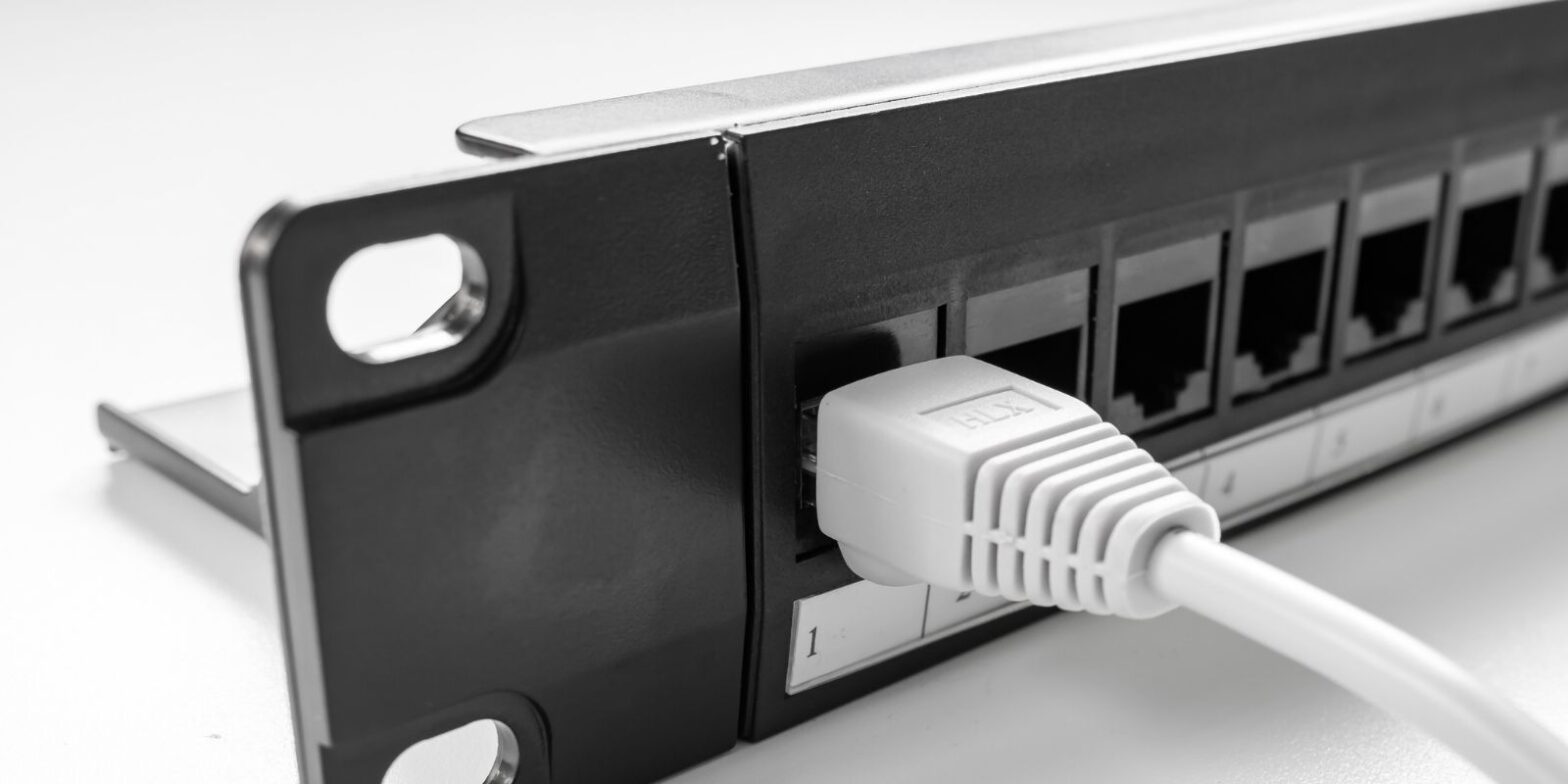
Un panou de patch Ethernet este un dispozitiv hardware pasiv care termină și organizează cablurile permanente ale clădirii într-o locație centralizată. Spre deosebire de dispozitivele active care procesează date, un panou de patch oferă pur și simplu puncte de terminare structurate pentru fiecare cablu Ethernet, creând o fundație curată și scalabilă pentru orice rețea.
Indiferent dacă cablați o casă, modernizați un dulap de birou sau construiți un rack mic de servere, înțelegerea modului în care funcționează un panou de patch Ethernet și cum diferă de un switch este esențială pentru performanța și eficiența pe termen lung a rețelei.
Ce este un panou de patch Ethernet?
Un panou de patch Ethernet este de obicei un cadru metalic cu rânduri de porturi RJ45 pe partea frontală și terminații punch-down sau keystone pe partea din spate. Fiecare cablu Ethernet din perete din camere sau prize de perete se conectează la partea din spate a panoului de patch, creând un punct de terminare centralizat.
Pe partea frontală, cabluri scurte de patch conectează porturile panoului la echipamente de rețea active, cum ar fi switch-uri sau routere.. Nu există nicio conexiune internă între porturi. Panoul de patch nu procesează traficul sau inspectează pachetele, ci extinde pur și simplu fiecare cablu într-un mod organizat și gestionabil.
Această dispunere centralizată este fundamentală pentru standardele de cablare structurată utilizate în mediile de afaceri.
Cum funcționează un panou de patch Ethernet într-un sistem de cablare structurată
Într-o rețea structurată tipică:
Priză de perete → cablu solid-core în perete → panou de patch → cablu scurt de patch → switch.
Pe partea din spate, fiecare cablu este terminat conform schemelor de cablare T568A sau T568B. Pe partea frontală, cablurile flexibile de patch se conectează la switch-uri sau alte echipamente.
Deoarece panoul de patch Ethernet este pasiv, nu transmite date și nu influențează logica de transmisie. Acționează ca un punct de extensie static, menținând continuitatea semnalului în timp ce separă cablurile permanente de conexiunile frecvent schimbate.
De exemplu, într-un birou cu 16 birouri, 16 cabluri din perete se termină pe un panou de patch cu 24 de porturi. Cabluri scurte de patch conectează apoi acele porturi la un switch cu 24 de porturi. Dacă un birou se mută într-un alt VLAN, doar cablul de patch se schimbă, nu instalația din perete.
Panou de patch vs Switch: Înțelegerea diferenței
Mulți utilizatori confundă aceste două dispozitive, dar rolurile lor sunt fundamental diferite. Un panou de patch organizează și termină cablurile, în timp ce un switch transmite activ cadre Ethernet între dispozitive.
Comparație Panou de patch vs Switch
| Caracteristică | Panou de patch | Comutator |
|---|---|---|
| Tip dispozitiv | Hardware pasiv | Dispozitiv de rețea activ |
| Necesită alimentare | Nu | Da |
| Funcția principală | Organizează și termină cablurile | Transmite date între dispozitive |
| Procesare pachete | Niciuna | Procesare Layer 2 sau Layer 3 |
| Conectivitate internă | Nicio conexiune între porturi | Porturi interconectate prin fabrică de comutare |
| Scop principal | Gestionarea cablurilor | Distribuția traficului |
Îndepărtarea switch-ului ar lăsa toate cablurile conectate fizic, dar fără capacitate de transmisie a datelor.
Ambele dispozitive lucrează împreună, unul oferă structură, celălalt permite conectivitatea.
De ce să folosiți un panou de patch Ethernet?
- Gestionarea cablurilor: Fără un panou de patch, cablurile lungi din perete se conectează direct la switch-uri, creând dezordine și stres pe porturile switch-ului. Un panou îmbunătățește gestionarea cablurilor prin menținerea curselor permanente fixe și etichetate.
- Scalabilitate și eficiență: Adăugarea de noi curse sau realocarea porturilor devine simplă. Acest lucru crește eficiența operațională și reduce timpul de nefuncționare.
- Protecția echipamentelor de rețea: Ciclurile frecvente de conectare/deconectare au loc pe cabluri de patch ieftine în loc de porturi de switch costisitoare, prelungind durata de viață a echipamentelor de rețea.
- Depanare și stabilitate a performanței: Porturile clar etichetate permit diagnosticări mai rapide, îmbunătățind eficiența întreținerii și performanța generală a rețelei.
Tipuri de panouri de patch Ethernet
Panouri de patch de cupru
Majoritatea instalațiilor folosesc modele de panouri de patch Ethernet de cupru care suportă standardele de cablu Cat5e, Cat6, Cat6a sau Cat8.
Opțiunile comune de densitate a porturilor includ 12-port, 24-port și 48-port. Panourile cu densitate mai mare sunt ideale pentru medii de montare în rack în setări de afaceri.
Panouri de patch Keystone
Un panou de patch keystone folosește jack-uri keystone modulare, permițând flexibilitatea de a combina conectori Ethernet, fibră sau alții. Designurile keystone cresc personalizarea și adaptabilitatea.
Panouri ecranate vs ne-ecranate
Panourile ecranate sunt utilizate în medii cu EMI ridicat și necesită împământare corespunzătoare. Panourile ne-ecranate sunt comune în zone rezidențiale și cu interferențe reduse. Instalațiile ecranate necesită practici corecte de împământare pentru a menține integritatea și performanța semnalului.
Panouri de patch montate în rack vs montate pe perete
Majoritatea instalațiilor de afaceri folosesc panouri montate în rack în rack-uri de 19 inci. Acest lucru permite integrarea organizată cu switch-uri și alte echipamente. În medii mai mici, versiunile montate pe perete oferă soluții compacte fără rack-uri complete. Alegerea între montare în rack și montare pe perete depinde de spațiul disponibil, cerințele de densitate a porturilor și planurile de extindere viitoare.
Cat6e și panouri de patch Ethernet: Clarificarea confuziei
Este posibil să vedeți referințe la Cat6e, dar Cat6e nu este un standard oficial TIA/EIA. Este în mare parte un termen de marketing. Standardele oficiale includ: Cat5e, Cat6, Cat6a și Cat8. Când selectați un panou de patch, potriviți clasificarea categoriei cu cablul instalat pentru a menține capacitatea și performanța consistentă a transmisiei.
Verificarea terminologiei și înțelegerea diferențelor subtile de denumire sunt esențiale în rețelistică, la fel ca verificarea distincțiilor precise ale cuvintelor prin instrumente de referință precum synonymer.it.com pentru a evita confuzia între etichete tehnice similare.
Cablu Ethernet Cat6 vs Cat8
Când asociați cabluri cu un panou de patch, compatibilitatea categoriei contează.
Cat6 suportă 1G până la 100 de metri și 10G până la distanțe mai scurte.
Cat8 suportă 25G sau 40G, dar este de obicei limitat la 30 de metri și utilizat în principal în centre de date. Pentru majoritatea configurațiilor de rețea de acasă și birou, Cat6 sau Cat6a oferă performanță suficientă și viabilitate fără costuri inutile.
Cat8 vs Cat6: Aveți cu adevărat nevoie de Cat8?
Cat8 oferă o ecranare mai mare și viteze de transmisie mai rapide, inclusiv suport pentru 10G și mai mult. Cu toate acestea, necesită componente complet ecranate. Are o distanță maximă mai scurtă. Este mai scump. Pentru implementările tipice de Ethernet structurat, Cat6 sau Cat6a este mai practic și mai rentabil.
Cele mai bune practici de instalare
Instalarea corectă determină performanța mai mult decât modelul switch-ului în sine.
Considerații cheie:
- Mențineți o răsucire minimă la terminarea cablului.
- Utilizați standardul de cablare corect (T568A sau T568B) în mod constant.
- Evitați amestecarea incorectă a componentelor ecranate și ne-ecranate.
- Asigurați împământarea corespunzătoare în sistemele ecranate.
- Asigurați cablurile pentru a preveni tensiunea.
Panourile keystone moderne fără unelte simplifică instalarea, în timp ce panourile tradiționale punch-down necesită unelte corespunzătoare pentru o terminare fiabilă.
Terminarea incorectă poate degrada calitatea transmisiei și reduce performanța rețelei, chiar și cu hardware de înaltă calitate.
Când aveți nevoie de un panou de patch, un switch sau ambele
Doar switch: Configurațiile mici de acasă cu dispozitive lângă router pot să nu necesite un panou de patch.
Panou de patch + Switch: Mai multe camere cu curse de cablu în perete beneficiază de o combinație centralizată de panou de patch și switch.
Panoul de patch organizează cablurile. Switch-ul permite comunicarea Ethernet. Împreună, creează o fundație de rețea scalabilă și profesională.
Gânduri finale
Un panou de patch Ethernet nu este doar despre organizare, ci despre eficiență structurată, gestionarea pe termen lung a cablurilor, protecția echipamentelor de rețea și designul scalabil al rețelei.
Pentru instalații serioase de acasă și medii de afaceri, asocierea unui panou de patch evaluat corespunzător cu standarde de cablu compatibile și un switch fiabil asigură transmisie stabilă, performanță puternică și extindere simplificată.
Alegerea tipului potrivit, keystone, ecranat, ne-ecranat, montat în rack sau montat pe perete, depinde de spațiul disponibil, mediul de interferență și planurile de creștere viitoare.
În cablarea structurată, claritatea și planificarea întotdeauna depășesc scurtăturile.

César Daniel Barreto este un apreciat scriitor și expert în securitate cibernetică, cunoscut pentru cunoștințe aprofundate și capacitatea de a simplifica subiecte complexe de securitate cibernetică. Cu o vastă experiență în securitatea și protecția securitate a rețelelor și protecția datelor, contribuie în mod regulat cu articole perspicace și analize privind cele mai recente tendințe în domeniul securității cibernetice, educând atât profesioniștii, cât și publicul.
 Romanian
  English
  German
  Danish
  Italian
  Swedish
  Thai
Thai  Vietnamese
  Japanese
  Dutch
Dutch  Korean
  Arabic
  Hungarian