IT Support for Architects: How Specialized Technology Services Keep Design Firms Competitive
Tháng 2 16, 2026 • César Daniel Barreto
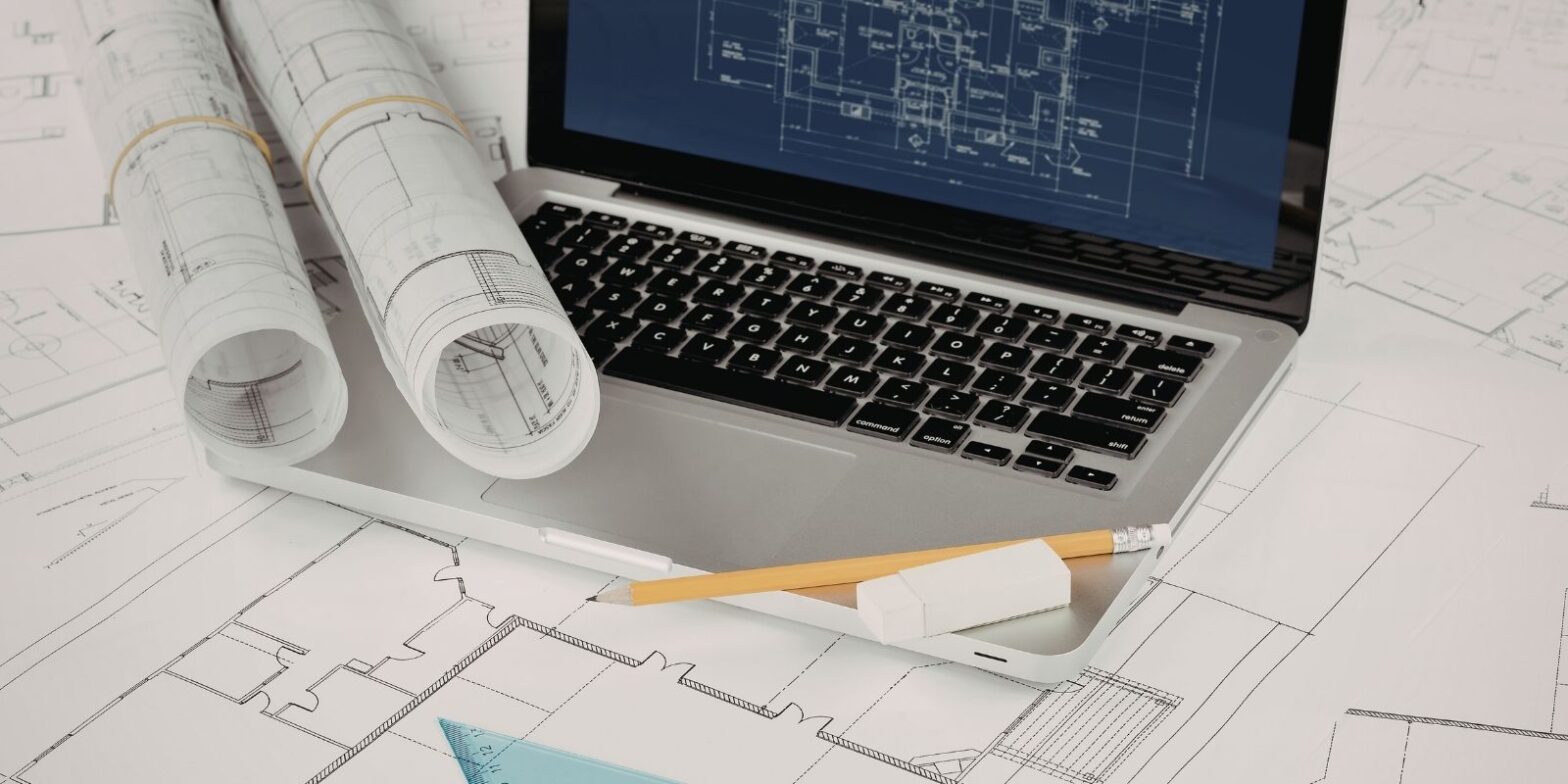
Architecture firms operate in one of the most technology-dependent professional environments. Between resource-heavy CAD software and BIM software, massive design files that can reach gigabytes per project, and the need for real-time collaboration across offices and job sites, architects rely on IT infrastructure in ways that generic tech support simply can’t address.
Yet many firms, particularly small and mid-sized practices, treat IT as an afterthought until something breaks. A corrupted Revit model, a cuộc tấn công ransomware that locks out project files, or a network failure during a client presentation can cost thousands in delays and damage a firm’s reputation. Specialized technical support for architects exists to prevent exactly these scenarios, aligning technology with the unique demands of architectural workflows and improving overall efficiency across design teams.
This guide covers the core IT services architecture firms need, from software optimization and cloud infrastructure to cybersecurity and disaster recovery, along with practical guidance on what to prioritize and why.
Why Architecture Firms Need Specialized IT Support
Not all IT challenges are created equal. Architecture firms face a specific set of technology demands that set them apart from most professional services businesses.
Software intensity. Applications like AutoCAD, Revit, Rhino, SketchUp, and rendering engines such as V-Ray or Lumion require high-performance hardware solutions and careful configuration. Modern CAD software environments demand consistent tuning to ensure stability under large modeling loads. A workstation that runs fine for general office work will choke on a complex BIM model with hundreds of linked elements. IT support for architects means ensuring that hardware specs, GPU drivers, RAM allocations, and software settings are optimized for design work, not just “working.” Well-designed hardware solutions directly impact modeling speed and rendering turnaround times.
File size and storage. Architectural project files are enormous. A single BIM project can include 3D models, material libraries, rendered images, construction documents, and coordination files that collectively consume tens of gigabytes. Firms need storage systems designed for large-file workflows, with fast read/write speeds and structured project-based organization, not a generic shared drive. Proper data backup systems must also be integrated into daily operations to protect evolving files without slowing teams down.
Collaboration complexity. Modern architectural practice involves coordinating between in-house teams, remote staff, structural engineers, MEP consultants, contractors, and clients. Everyone needs access to current project files, often simultaneously. Without properly configured cloud environments and version control, this turns into a recipe for overwritten work, conflicting file versions, and missed deadlines that disrupt project workflows.
Regulatory and contractual exposure. Firms handling government projects, healthcare facilities, or educational institutions may be subject to data security and compliance requirements. A breach involving building plans or infrastructure schematics can have legal and national security implications beyond typical data loss.
BIM Support: The Backbone of Modern Architectural IT
Effective BIM support for architecture firms goes well beyond installing Revit and hoping for the best. It includes server and network configuration that supports central file workflows, where multiple team members work on the same model simultaneously. It means managing Revit worksharing environments to prevent file corruption, synchronization failures, and performance degradation as models grow in complexity.
It requires coordinating BIM interoperability between platforms, ensuring that models move cleanly between Revit, Navisworks, AutoCAD, and other CAD software used by consultants. It also involves planning storage and data backup strategies around the reality that BIM files change constantly and need granular version history to protect evolving project workflows.
Firms that treat BIM support as a subset of general IT support tend to run into performance bottlenecks, lost work from sync conflicts, and frustrating slowdowns that erode efficiency over time.
Hardware Requirements for BIM Workflows
BIM applications are demanding. Revit, for example, is largely single-threaded for many operations, meaning raw CPU clock speed matters more than core count for modeling tasks. Rendering, on the other hand, benefits from multi-core processors and powerful GPUs.
A properly configured BIM workstation typically includes a high-clock-speed processor (Intel i7/i9 or AMD Ryzen 7/9), 32–64 GB of RAM, a professional-grade GPU such as an NVIDIA RTX series, and SSD storage for active projects with NAS or server-based storage for archives. These specialized hardware solutions must be aligned with firm size, project scale, and rendering demands.
IT providers specializing in architecture firms can spec, procure, and configure these workstations correctly from day one, providing proactive technical support and avoiding the trial-and-error approach that wastes both time and budget.
Cloud Services for Architecture Firms
Cloud computing has become essential for architecture firms, particularly those with hybrid or multi-office teams. But cloud adoption must be strategically aligned with existing systems.
What Cloud Services Offer Architects
The most relevant cloud services for architecture firms include cloud-hosted file storage and collaboration platforms like SharePoint, BIM 360 (Autodesk Construction Cloud), or Dropbox Business. These solutions are configured for large-file workflows with proper version control.
Virtual desktop infrastructure (VDI), such as Azure Virtual Desktop, gives architects high-performance access to demanding CAD software from any device, anywhere. Cloud-based backup and disaster recovery ensures that project files are continuously protected, strengthening overall data backup resilience and long-term business continuity.
Well-designed cloud services also support distributed teams without compromising performance or security.
Common Cloud Pitfalls
Cloud adoption frequently stumbles on bandwidth limitations. Syncing multi-gigabyte Revit files over a standard internet connection can cause corruption if interrupted. Effective IT support addresses this through optimized network solutions, bandwidth management, and hybrid configurations.
Another common issue is licensing and access management. Firms need role-based permissions and multi-factor authentication policies that integrate smoothly with broader network solutions and security controls.
IT Security: A Growing Urgency for Architecture Firms
Cybersecurity for architecture firms is no longer a “nice to have.” The industry has become a significant target for ransomware and data theft, and the consequences of an attack can be severe.
Why Architects Are Targeted
Architecture and engineering firms are attractive targets for several reasons. They store high-value intellectual property, including building plans, infrastructure schematics, and proprietary design data. They frequently collaborate with external parties through shared platforms, increasing their attack surface. Their projects are time-sensitive, which means ransomware attackers know firms face intense pressure to pay and restore access quickly. And smaller firms often lack dedicated security staff, making them softer targets than larger enterprises.
Research from cybersecurity analysts suggests that A&E firms face a disproportionately high rate of ransomware attacks compared to other industries, with the average data breach costing around $400,000 in direct recovery, downtime, and reputational damage. In early 2025, ransomware group DragonForce targeted an architecture and engineering firm in a high-profile attack, underscoring how real this threat has become.
Essential Security Measures
IT support for architects should include, at minimum, endpoint protection and managed threat detection across all devices, email security with phishing filtering and staff awareness training, multi-factor authentication (MFA) on all accounts, network segmentation to limit lateral movement if a breach occurs, regular vulnerability assessments and patching, and encrypted file transfer and storage for sensitive project data.
These aren’t optional extras, they’re baseline requirements for any firm that handles client data and proprietary designs.
Data Backup and Disaster Recovery
Architecture firms can’t afford to lose project files. A corrupted BIM model, a failed hard drive, or a ransomware attack that encrypts your server can halt an entire project and potentially trigger contractual penalties.
Backup Strategy Essentials
A sound backup strategy for architecture firms follows the 3-2-1 rule: three copies of your data, on two different types of media, with one copy stored offsite (typically in the cloud). Backups should be automated and frequent, daily at minimum, with more frequent snapshots for active project files. Just as importantly, backups need to be tested regularly. A backup that can’t be restored when needed is worse than useless, it creates a false sense of security.
Disaster Recovery Planning
Disaster recovery goes beyond backups. It’s a documented plan for how your firm will restore operations after a major disruption, whether that’s a cyberattack, a hardware failure, a natural disaster, or a building fire. Key elements include defined recovery time objectives (RTOs), how quickly you need systems back online, and recovery point objectives (RPOs), how much data loss is acceptable. It also includes pre-configured failover environments so critical systems can be restored rapidly, clear communication protocols so staff and clients know what’s happening, and regular testing of the recovery plan to ensure it actually works under pressure.
Firms without a disaster recovery plan are essentially gambling that nothing will go wrong, a bet that gets worse every year as cyber threats escalate.
Network Infrastructure and Performance
A firm’s network is the invisible foundation everything else runs on. Slow file transfers, dropped VoIP calls, laggy remote desktop sessions, these are all network problems, and they directly impact productivity and client experience.
What Good Network Design Looks Like
For architecture firms, network infrastructure should prioritize high-bandwidth internal connections (gigabit Ethernet minimum, 10 GbE for studios doing heavy rendering or large-file transfers), properly configured switches and routers with Quality of Service (QoS) settings that prioritize design application traffic, reliable Wi-Fi with adequate coverage for conference rooms and collaborative workspaces, and secure VPN or ZTNA (Zero Trust Network Access) for remote staff and site workers.
IT providers experienced with architecture firms understand that network performance isn’t just about download speeds, it’s about the latency, throughput, and reliability characteristics that matter for BIM synchronization, cloud-based rendering, and real-time collaboration.
Software Integration and Management
Architecture firms typically run a complex software ecosystem: Revit, AutoCAD, SketchUp, Rhino, Bluebeam, Adobe Creative Suite, project management tools like Procore or Newforma, accounting software, and Microsoft 365 or Google Workspace. Getting these tools to work together smoothly, and keeping them updated without disrupting workflows, is a significant IT management challenge.
Effective software integration for architects involves maintaining compatibility between design tools and ensuring plugins and add-ons work correctly after updates. It means managing licensing to avoid compliance issues or unexpected costs, coordinating update schedules so critical software isn’t patched mid-project, and integrating project management and financial tools with file systems for streamlined operations.
Proactive IT management catches these issues before they disrupt work, rather than reacting after a software conflict has already cost half a day of productivity.
How to Choose an IT Support Provider for Your Architecture Firm
Not every managed service provider (MSP) understands architectural workflows. When evaluating IT support providers, architecture firms should look for several key indicators.
Industry experience. Ask whether the provider has worked with architecture or AEC (architecture, engineering, construction) firms before. Providers who understand BIM workflows, CAD hardware requirements, and large-file collaboration challenges will get you up and running faster and with fewer mistakes.
Proactive vs. reactive approach. Break-fix IT support (waiting for something to break, then fixing it) is outdated and costly. Look for providers offering proactive monitoring, regular maintenance, and strategic IT planning that aligns with your firm’s growth.
Security capabilities. Given the escalating threat landscape, your IT provider should have robust cybersecurity offerings, not just antivirus software, but managed detection and response, security awareness training, and incident response planning.
Scalability. Your IT needs will change as your firm grows, takes on larger projects, or opens new offices. The right provider can scale services up or down without requiring you to renegotiate everything from scratch.
Transparent pricing. Flat-rate or predictable monthly pricing is strongly preferable to hourly billing, which incentivizes slow problem resolution and discourages proactive maintenance.
Câu Hỏi Thường Gặp
What is IT support for architects?
IT support for architects is a set of specialized technology services designed around the needs of architecture firms. This includes optimizing CAD and BIM software performance, managing cloud collaboration platforms, securing project data, maintaining high-performance workstations, and providing ongoing network management. The goal is to keep technology aligned with design workflows rather than forcing architects to work around generic IT limitations.
How does BIM support benefit architecture firms?
BIM support ensures that your firm’s Building Information Modeling environment runs reliably and efficiently. This includes configuring servers for central file workflows, managing worksharing to prevent conflicts and corruption, optimizing hardware for BIM performance, and maintaining interoperability between Revit, Navisworks, AutoCAD, and other tools used across the project team.
Why is cybersecurity important for architecture firms?
Architecture firms store valuable intellectual property, building plans, infrastructure schematics, client data, that makes them attractive targets for ransomware and data theft. The time-sensitive nature of architectural projects also means that attackers know firms are under pressure to pay ransoms quickly. Robust cybersecurity protects both your data and your ability to meet project deadlines.
What role does cloud computing play in architecture?
Cloud computing enables architecture firms to store, share, and collaborate on project files from any location. Virtual desktop solutions allow architects to run demanding software remotely, while cloud-based backup provides offsite protection for critical data. For firms with hybrid teams or multiple offices, cloud infrastructure is essential for maintaining productivity and consistency.
How can architecture firms improve disaster recovery?
Start with the 3-2-1 backup rule (three copies, two media types, one offsite), then build a documented disaster recovery plan with clear recovery time and data loss objectives. Test the plan regularly, and ensure your IT provider can deliver rapid failover if primary systems go down. The firms that recover fastest from disruptions are the ones that planned for them in advance.
Suy nghĩ cuối cùng
IT support for architects isn’t a luxury, it’s operational infrastructure. The firms that invest in specialized technology services gain reliable BIM and CAD environments, secure collaboration platforms, protection against increasingly sophisticated cyber threats, and the ability to recover quickly when things go wrong.
The architecture industry will only become more technology-dependent, with AI-assisted design tools, real-time rendering, and increasingly complex BIM requirements on the horizon. Firms that build a strong IT foundation now will be better positioned to adopt these tools as they mature, rather than scrambling to catch up.
If your current IT setup is reactive, generic, or holding your team back, it may be time to evaluate providers who understand what architecture firms actually need.

César Daniel Barreto
César Daniel Barreto là một nhà văn và chuyên gia an ninh mạng được kính trọng, nổi tiếng với kiến thức sâu rộng và khả năng đơn giản hóa các chủ đề an ninh mạng phức tạp. Với kinh nghiệm sâu rộng về bảo mật mạng và bảo vệ dữ liệu, ông thường xuyên đóng góp các bài viết và phân tích sâu sắc về các xu hướng an ninh mạng mới nhất, giáo dục cả chuyên gia và công chúng.
 Vietnamese
  English
  German
  Danish
  Italian
  Swedish
  Romanian
  Thai
Thai  Japanese
  Dutch
Dutch  Korean
  Arabic
  Hungarian