Top 10 Cybersecurity Tips for Students
November 28, 2025 • César Daniel Barreto
Many students consume a great volume of time on the internet learning, socializing and having fun. Although technology offers amazing opportunities, it also presents students with numerous cyber threats. It is necessary to know the techniques to secure personal information.
Managing your devices and accounts properly is critical for online safety. The usage of adequate cybersecurity in place prevents data breaches. This responsible practice also brings a safer learning and communication experience over the internet.
Here are the top 10 cybersecurity tips for students, designed to help you stay protected and confident while navigating the digital world.
Create Strong, Unique Passwords
Passing strong and unique passwords is a must. It is one of the easiest but the most effective methods of protecting your accounts. A good password usually contains both lower and uppercase letters. Do not forget to add numbers and other special characters. Never use information that is easy to guess. Do not use names, birthdays, or even words.
Students are expected to use a variety of passwords for each account online. Using the same passwords will create a possibility of a high degree of compromise in case of hacking of one account. Password managers can help securely store and generate strong passwords, making it easier for students to follow a consistent safety routine.
Enable Two-Factor Authentication (2FA)
2FA adds an extra layer of security beyond just a password. It involves the second process of verification such as a code that is sent to your phone or an authentication app.
Students can mitigate threats of being hacked by activating 2FA on their accounts like email, cloud storage, and learning platforms. A hacker can not access the account without the second verification step even in case he/she has guessed or stolen a password.
Secure Your Devices
Laptops, tablets and smartphones contain sensitive data. They have access to passwords, emails and home work files. It is essential to protect these devices.
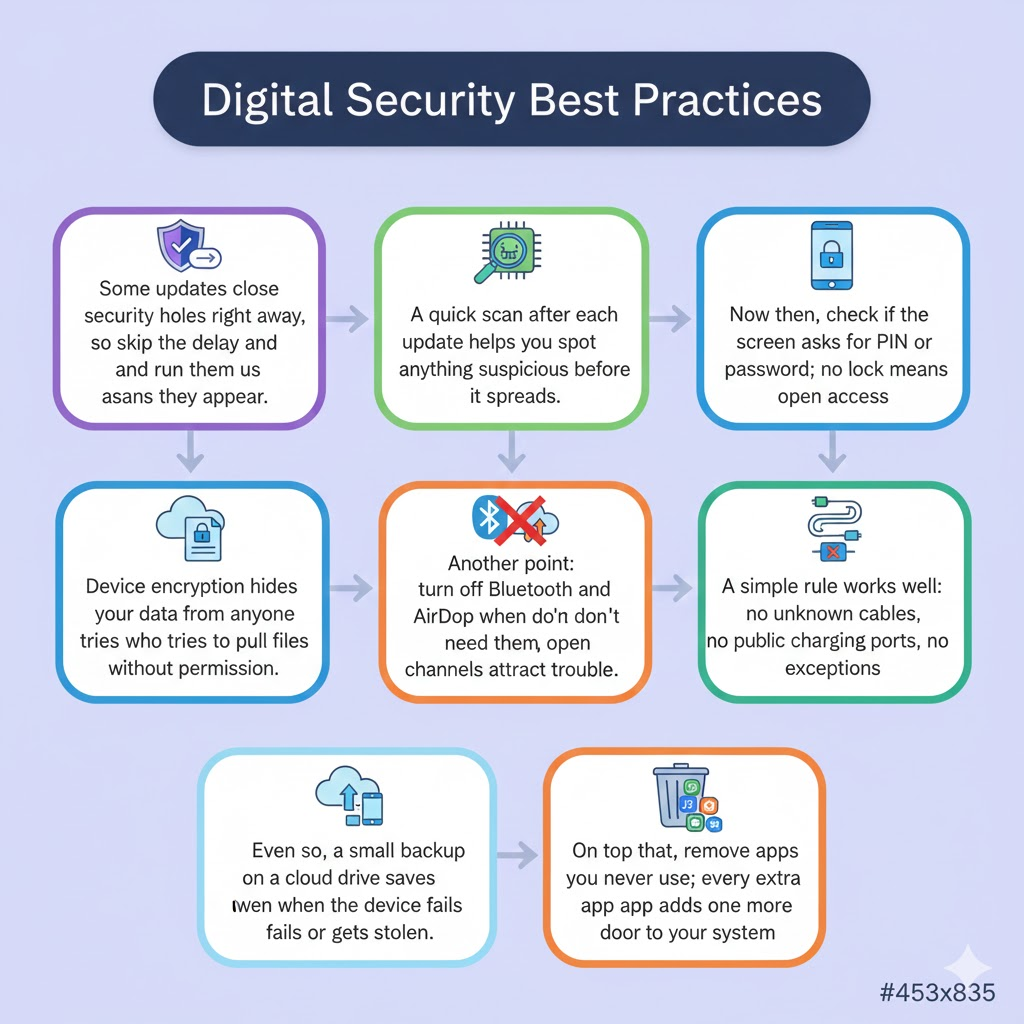
Make sure that the operating system, antivirus software, and applications of your device are always updated. Security patches are usually included along with the updates to address the vulnerabilities. Install reliable antivirus software. Do not forget to scan it regularly as a means of identifying threats. Use strong PINs/ passwords in lock devices. Protect your gadgets from an unauthorized user.
How to Secure Your Wi-Fi Network
Public Wi-Fi is usually convenient but unsecured, e.g., at a library, coffee shop, or campus. The hackers have access to sensitive accounts and information as they can intercept the data transmitted in the unsecured networks.
This should be done on a virtual private network (VPN) when the student uses the available Wi-Fi. Make sure that the Wi-Fi network is encrypted with a strong password. Regularly updating the router’s firmware adds an extra layer of security and helps maintain secure browsing.
Watch out regarding Mails and Links
Fraudsters trick students with phishing attacks that are usually masqueraded as emails to teachers, peers, or other websites. Such emails can contain dangerous links or attachments that are meant to steal personal data.
Look at the email address of the sender before clicking on a link or downloading a file. Watch out for grammar errors or odd demands that are uncharacteristic. When in doubt, confirm with a teacher or administrator. A careful review of links and messages is a critical part of maintaining online safety for students.
Use Secure Digital Learning Platforms
Students increasingly rely on online platforms for homework, research, and collaboration. Using secure and reputable platforms ensures that personal information and educational data are protected. Always verify that the platform has HTTPS encryption and complies with privacy standards. Encourage responsible use of online learning tools to avoid accidental data leaks.
Choose platforms that are not only secure but also reliable in delivering high-quality, up-to-date information efficiently. Students can access secure digital learning on asktutor.ai without compromising on security and accessibility on different devices. Even better, it works seamlessly on mobile, so students don’t have to wait until they get home or to class to study. They can access lessons, practice exercises, and study materials anytime, anywhere. The mobile-friendly design ensures a smooth learning experience without compromising security or speed.
Backup Important Files
It is horrible to lose valuable documents, projects or study notes. The simplest but the most efficient method of securing your work is by regularly backing up files. Store a backup with cloud storage tools or external hard drives. Make sure the cloud services have excellent encryption and multi-factor authentication. Creating a habit of backing up data is a proactive step in any student’s safety routine.
Restrict Disclosure of Personal Data
It is easy to provide personal information over social media and online forums. It is important to note though that too much sharing may lead students to identity theft or cyberbullying or even targeted attacks.
Take caution with what is posted on the Internet. Do not leave full names, addresses or phone numbers or passwords. Periodically update privacy settings to decide people who can see your profiles and posts. Keeping personal data private is a key part of overall student cybersecurity tips.
Lock Devices and Use Screen Time Wisely
Unauthorized users can access devices which are not watched or unlocked. Students ought to activate auto-locks and use their gadgets with a strong password or PIN.
Moreover, responsible usage of screens helps to avoid exposure to dangerous material and applications. Restricting the artless downloads and allowing applications can prevent the malware infection and can contribute to a safer online environment.
Stay Educated About Cybersecurity
The world of cyberspace is changing every day. Cyber threats are becoming advanced. It is crucial to keep students informed. Always read about the new security practices, possible scams, and most recent threats.
Follow trusted cybersecurity blogs, attend school workshops, and discuss online safety with peers and teachers. Building awareness helps students develop habits that strengthen their secure-browsing practices and overall digital security.
Final Thoughts
Not only professionals benefit from cybersecurity, students also need it. These ten tips can help students to secure their personal data, academic contents, and equipment against online attacks. The use of passwords that are strong, two-factor authentication, encryption of Wi-Fi, and guarding against emails are realistic measures that anyone can adopt.
Adopting these habits as part of a daily safety-routine ensures long-term protection. It is important to keep in mind that not only are cyberattacks avoided using secure digital practices, but also confidence in online learning and communication is instilled. To implement these tips practically, students can find a secure and safe platform where they can receive digital learning in the form of a secure asktutor.ai site, which is convenient and yet safe.
With the inclusion of such strategies in daily digital life, students will have an opportunity to concentrate on learning, creativity, and development without fear of cyber threats.

César Daniel Barreto
César Daniel Barreto is an esteemed cybersecurity writer and expert, known for his in-depth knowledge and ability to simplify complex cyber security topics. With extensive experience in network security and data protection, he regularly contributes insightful articles and analysis on the latest cybersecurity trends, educating both professionals and the public.