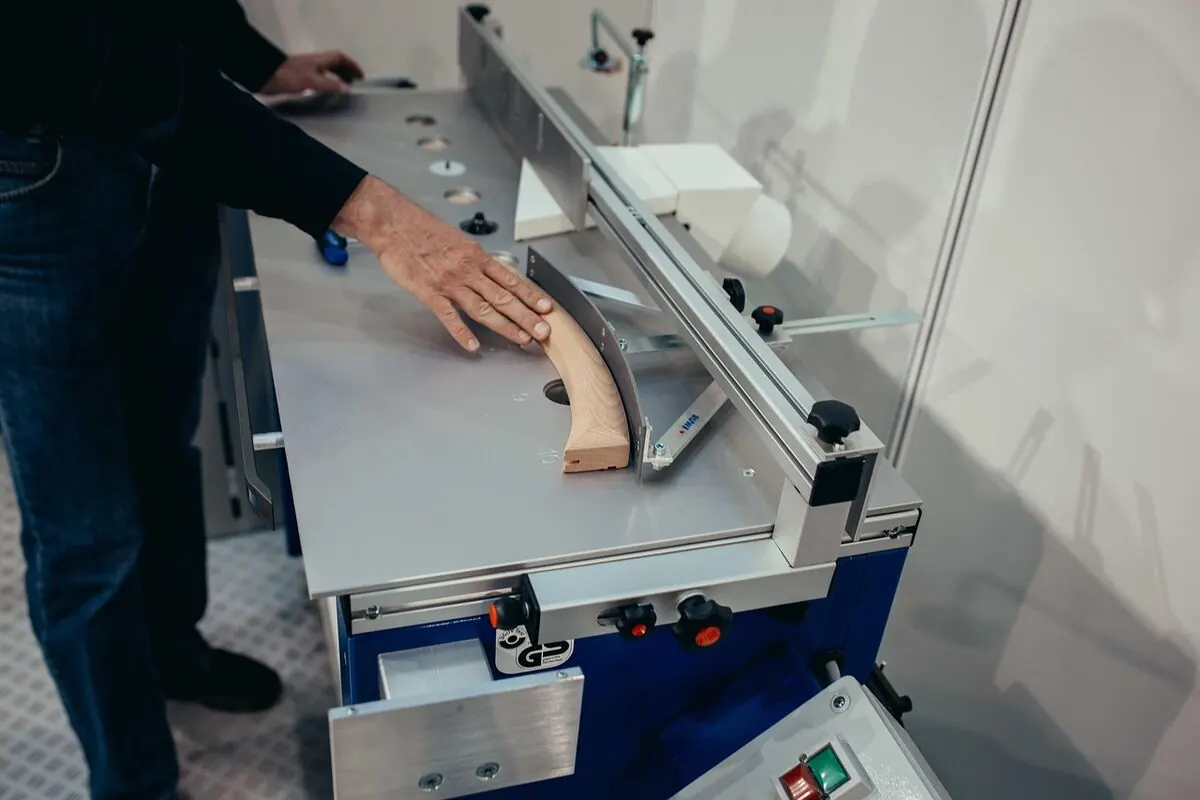
A router table turns a handheld router into a small precision shaper. The router hangs upside-down under a flat table, the bit sticks up through an opening, and you slide the workpiece across the table. The result is straighter, cleaner cuts than you can do free-hand: edge profiles, rabbets, dados, raised panels and pattern work. This guide covers the safe setup, the feed direction that prevents kickback, and the basic cuts every router table owner uses.
- Unplug the router. Install the bit, tighten the collet firmly.
- Set the bit height with a gauge or scale.
- Align the fence parallel to the bit and lock it down.
- Turn on dust collection. Put on safety glasses and ear protection.
- Power on. Feed the workpiece right to left against the fence, smoothly, all the way through.
- Take light passes (no more than about 1/8 inch deep at a time). Raise the bit for each subsequent pass.
Anatomy of a Router Table (Drawing)
Knowing the parts by name makes every other step easier.
Safety Rules That Are Not Optional
Setting Up the Router Table
Pick the right bit
Match the bit to the cut. Round-over and chamfer bits for soft edges; straight bits for dados and rabbets; flush-trim bits for pattern routing; raised-panel bits for cabinet doors. Use the largest shank your router accepts (1/2 inch is more stable than 1/4 inch for big bits).
Install the bit (router unplugged)
Insert the bit at least 80% of its shank into the collet. Tighten the collet firmly with the two-wrench method. A loose collet is one of the few ways a bit can come free at full RPM.
Set the bit height
Use a bit-height gauge or a ruler. The exposed bit should be just enough to cut the profile or depth you want, plus a touch for the first light pass. For round-overs, the bearing should sit flush with the wood you keep, not the wood you want to remove.
Position the fence
Slide the fence so the bit is exposed by the depth of cut you want. Lock both sides of the fence so the cut depth is identical at the front and back of the table. A bowed fence cuts a tapered profile.
Set up dust collection
Attach a hose to the fence’s dust port. Most modern fences capture 90% of chips at the source. A second hose under the table catches the rest.
Test cut on scrap
Always run a scrap piece of the same thickness and species first. Verify depth, profile and burn-free finish before touching your good stock.
Feed Direction (The Cut That Causes the Most Accidents)
This is worth its own section. Stand in front of the router table and look down. The bit is rotating counter-clockwise. Feeding the workpiece from right to left pushes it against the fence and lets you keep control. Feeding the wrong way pulls the wood into the bit; you lose grip and the piece flies out toward you.
The same rule applies to free-hand work with a bearing-guided bit and no fence: move the workpiece counter-clockwise around the bit when looking down.
The Five Cuts You Will Use Most
1. Edge profile (round-over, chamfer, ogee)
Install the profile bit. Set the bearing flush with the face of the fence (or against the edge of the workpiece if free-handed). Feed right to left, keeping the wood flat against the fence and table. Take a light pass first, then raise the bit if you need a deeper profile.
2. Rabbet
A rabbet is an L-shaped cut along an edge, used to seat panels and back boards in cabinets. Use a straight bit or a dedicated rabbeting bit. Set the bit height to the rabbet depth, set the fence offset to the rabbet width, and run the workpiece in 2-3 passes if it is deep.
3. Dado / groove
A dado is a channel across the grain; a groove runs with the grain. Use a straight bit the width of the dado. Set the fence to position the channel, then push the wood through. For dados wider than 1/2 inch, take multiple passes adjusting the fence between them.
4. Flush trim
Use a flush-trim bit (top-bearing or bottom-bearing depending on layout). Attach a template to the workpiece. The bearing rides the template; the bit shaves the workpiece to match. This is how matching curved parts and inlays are made.
5. Cope and stick / raised panels
The advanced category. Cope and stick bits make rail-and-stile cabinet door frames. Raised-panel bits shape the field of the door. Both require a tall fence, very light passes, and a backer board to prevent tear-out at the end of the cut.
Bit Speed by Diameter
Larger bits cut more wood per revolution and must run slower. Speed it up for small bits, slow it down for big ones, or the cutter overheats and burns the wood.
| Bit diameter | Max safe RPM |
|---|---|
| Up to 1 inch | 22,000-24,000 RPM |
| 1 to 2 inches | 18,000-22,000 RPM |
| 2 to 2.5 inches | 12,000-16,000 RPM |
| 2.5 to 3.5 inches (raised panel) | 8,000-12,000 RPM |
Variable-speed routers have a dial on the body or in the switch. Use it. Single-speed routers should only mount bits up to about 1.5 inches in diameter.
Common Mistakes
Maintenance: Keep It Cutting Well
- Clean the bits. Resin and pitch build up fast. Clean with a bit-cleaning solvent and a brass brush after each session.
- Check the bearings. Bearings on flush-trim and profile bits wear out. Replace them when they wobble or stop spinning freely.
- Wax the table top. A coat of paste wax every few sessions makes wood slide smoothly and prevents rust on cast iron tops.
- Check the fence. Re-square it whenever you swap bits or move the table. A 0.5 mm shift produces a visible offset.
- Empty dust collection often. A clogged dust port reduces airflow and packs chips against the bit.
Authoritative References
- OSHA, woodworking safety: OSHA, Woodworking
- Fine Woodworking, router techniques: Fine Woodworking
- Wood Magazine, router table guides: Wood Magazine, router techniques
- U.S. CPSC, power tool safety alerts: U.S. Consumer Product Safety Commission
FAQs
Which direction do you feed wood on a router table?
Right to left as you stand in front of the table. The bit spins counter-clockwise from above, so right-to-left feed forces the workpiece against the fence and prevents kickback.
How deep can you cut in a single pass on a router table?
About 1/8 inch (3 mm) of material per pass for most bits. Profiles deeper than that should be done in 2-3 light passes, raising the bit between each.
Do I need a fence for every cut?
Use a fence whenever possible. Only bearing-guided bits are safe without a fence. Even then, support the workpiece with a starting pin or block.
How do I prevent burn marks on the wood?
Feed at a steady, smooth pace. Keep bits clean and sharp. For hardwoods like maple, take lighter passes and lower the bit speed if your router is variable-speed.
What PPE do I need for a router table?
Safety glasses or face shield, hearing protection, a dust mask (N95 minimum) and dust collection. Remove rings, watches and loose sleeves. Tie back long hair.
Is a router table safer than a handheld router?
Often, especially for small parts. But large or unstable pieces are sometimes safer with a handheld router. Match the tool to the cut.
Final Answer
To use a router table safely: install and tighten the bit with the router unplugged, set bit height and fence position, run dust collection and PPE, power on, then feed the workpiece right to left against the fence in light passes of about 1/8 inch each. Always test on scrap first, never feed the wrong direction, and use push blocks for small or short stock. With those rules, a router table goes from intimidating to one of the most useful tools in a woodworking shop.
For more practical how-tos, see how to sharpen kitchen knives, best adjustable dumbbells, 48 inches in feet, how many days is 72 hours and how to fix a slow Mac startup. Lock down workshop computer access with our Free Password Strength Checker.

 English
  German
  Danish
  Italian
  Swedish
  Romanian
  Thai
Thai  Vietnamese
  Japanese
  Dutch
Dutch  Korean
  Arabic
  Hungarian