Remote Work in 2026: Essential Network & Application Security Practices for Teams
December 11, 2025 • César Daniel Barreto

Remote work is no longer something companies try out for a season. It has become baked into everyday operations. Teams scattered across cities, time zones, or entire continents now depend on cloud tools, shared digital workspaces, and browser-based apps to keep moving. Productivity has stayed strong, but new security gaps have opened along the way.
Home networks with weak configurations, personal laptops that never see a patch cycle, and constant online access create plenty of places for trouble. This is one reason tools like secure web gateways have slipped quietly into the standard tech stack. Even companies with only partial remote teams rely on them because internet access and access control now sit at the core of daily work.
As flexible and hybrid models become normal, the goal shifts into focus. Keep people productive while shielding company systems, customer information, and the internal communication channels that hold everything together.
Why Remote Work Needs a Security Framework Instead of Isolated Tools
In the early rush to get remote work functioning, most companies plugged holes as they spotted them. A VPN handled secure entry. A password manager smoothed out login complications. When visibility faded, another tool appeared to fill that gap.
Each fix was useful on its own, yet the setup grew lopsided and difficult to maintain. By 2026, a mature security posture means slowing down long enough to design a system where every layer supports the others rather than existing as scattered parts.
A well rounded framework usually incorporates several pillars:
- Identity and access controls
- Network-level protections
- Application hardening
- Device compliance
- Continuous monitoring and response
This architecture lines up naturally with zero trust principles, which operate on a simple rule. Verify everything. Trust nothing by default.
Identity and Access Management, the First Gate
Identity has become the real network boundary. With people logging in from hotels, coffee shops, home offices, and public libraries, authentication plays a much larger role than it used to.
The strongest setups usually rely on a blend of modern practices.
- Multi-factor authentication as a baseline
- Role-based access controls
- Temporary privilege elevation for short-term needs
- Single sign-on for cleaner oversight
Access should come from necessity, not habit, and permissions need to expire whenever job duties shift.
Securing Networks Outside the Office
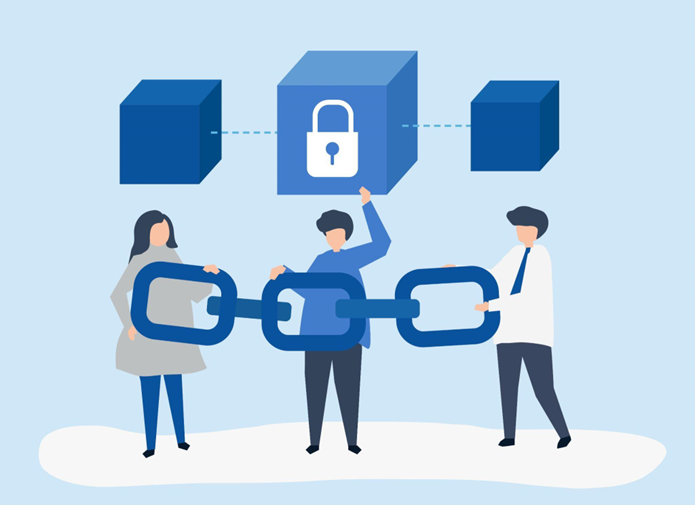
Home Wi-Fi, shared coworking hubs, or quick connections through public hotspots all provide different levels of protection. Many fall well short of a corporate environment. Without the right safeguards, the traffic moving between a user’s device and business systems becomes a significant vulnerability.
Common protective measures include:
- Encrypted DNS and enforced HTTPS
- Split or full-tunnel VPN routes
- Network segmentation
- Browser isolation for higher risk access
Remote staff must assume nothing about the network beneath them. Verification carries more weight than comfort. The U.S. Cybersecurity and Infrastructure Security Agency notes that unsecured networks and misconfigured access remain two of the most frequent causes of breaches in remote environments. Staying safe depends on proactive controls, not last minute fixes.
Securing Applications and Cloud Workflows
Teams lean heavily on SaaS platforms, shared docs, communication suites, and cloud storage. These tools boost output but blur the edges of the traditional perimeter. That is why application-level controls matter more than ever.
- API key management and encryption
- Conditional access policies
- Session timeouts and idle lockouts
- Alerts for unusual usage patterns
Modern software security stretches well beyond code. It includes the way people work inside cloud ecosystems.
Device Compliance and Patch Management
Remote workers often juggle a mix of company owned hardware and personal devices. While flexible, this setup widens the attack surface. Unmanaged devices carry risks that are nearly impossible to predict.
Strong device policies usually include:
- Automated OS and security patches
- Local disk encryption
- Application whitelisting
- Endpoint detection and response tools
Any device with access to company systems needs enforceable rules around its security posture.
Visibility and Incident Response
Without awareness, threats slip through unnoticed. Remote teams need monitoring systems that catch behavioral patterns instead of waiting for isolated alerts.
Useful components include:
- Centralized log collection
- Automated alerting
- Behavioral analytics
- Clear incident response playbooks
When something unusual appears, teams should respond decisively instead of scrambling to build a plan on the fly.
Remote work has matured, and so has the security mindset required to support it. Technology will keep shifting, but the priorities remain steady. Protect the data, keep users safe, and maintain stability without slowing down the people who rely on these systems.
The organizations that treat remote-work security as an evolving practice, not a one time setup, will be the ones that navigate an increasingly connected world with confidence.

César Daniel Barreto
César Daniel Barreto is an esteemed cybersecurity writer and expert, known for his in-depth knowledge and ability to simplify complex cyber security topics. With extensive experience in network security and data protection, he regularly contributes insightful articles and analysis on the latest cybersecurity trends, educating both professionals and the public.