Lost Your Files? Here Are the Best 3 Free Recovery Software of All Time
juni 24, 2026 • César Daniel Barreto

Lost Your Files? Here Are the Best 3 Free Recovery Software of All Time — cybersecurity analysis and threat intelligence coverage by Security Briefing.
Losing files off your device can feel like a nightmare. Whether they got deleted by accident, wiped in a format, taken out by a virus or malware, lost to a damaged partition, or vanished for any other reason, there’s almost always a chance to get them back. The good news is that several free data recovery tools can pull deleted files from hard drives, SSDs, memory cards, USB sticks, and even formatted partitions.
These free options are surprisingly capable, letting you restore lost files without paying for a subscription. Picking the right one can be tricky, but don’t lose hope. In this article we’ll walk through the three best free data recovery tools out there. Let’s dive in.
Why Use Free Data Recovery Software?
Here’s the key thing: when a file gets deleted, it isn’t wiped right away. The operating system simply marks that space as free to reuse. Until new data writes over it, recovery software can often bring the file back.
Before you settle on any free tool to recover lost files in Windows, it’s worth checking what it actually offers. The features that separate a good recovery tool from a weak one include:
- Support for multiple file types: It should recover deleted documents, photos, videos, audio, emails, archives, and the other formats you use day to day.
- Deep scan technology: Solid recovery software digs deep to find files that standard scans tend to miss.
- Formatted drive recovery: This lets you restore data from drives, partitions, and devices that were accidentally formatted.
- Multiple storage device support: It needs to work with HDDs, SSDs, USB flash drives, memory cards, and other internal or external media.
- Preview before recovery: Being able to see recoverable files before restoring them helps you grab the right data.
Top 3 Free Recovery Software Tools of all time
One rule first: the moment you notice a file is gone, stop saving anything new to that drive. Keep using it and you risk overwriting the deleted data, which makes recovery much harder. With that in mind, here are the three free tools worth trying:
01: Stellar Data Recovery Free – 100% Safe Recovery Tool
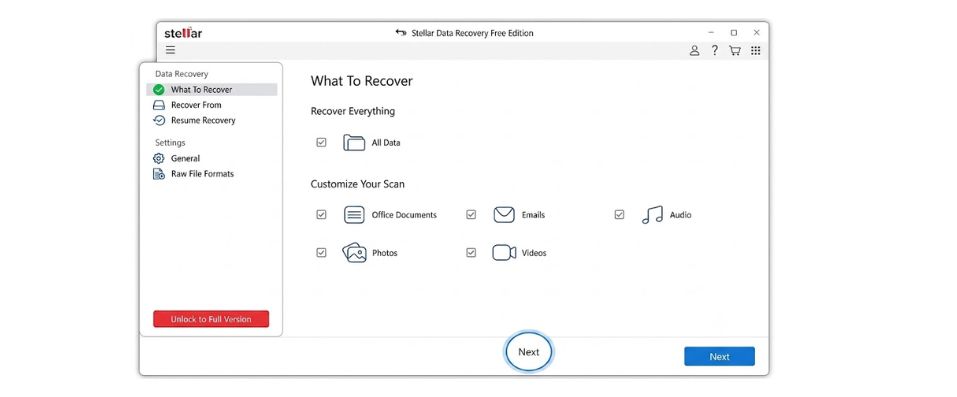
Stellar Data Recovery Free is one of the most trusted and reliable free data recovery software of all time. It supports the recovery of files deleted due to accidental deletion, formatting, system failures, virus attacks, etc. You can use this tool to restore deleted photos, videos, documents, and other types of files in various file formats. It offers a simple and user-friendly interface that makes file recovery accessible even to non-technical users.
Stellar Data Recovery Free is completely safe to use. You can run a quick scan when you’re in a hurry or a full one when you want to track down everything that’s recoverable. Its Deep Scan feature goes the extra mile, combing through your storage for files that ordinary scans tend to skip over. And before you commit, the preview function lets you look at the recoverable files first, so you only restore what you actually need.
Key Features
- Runs a deep scan that digs out recoverable files quick scans often miss.
- Works with HDDs, SSDs, USB drives, memory cards, and external storage.
- Friendly interface with step-by-step guidance, ideal for beginners and non-technical users.
- Recovers in read-only mode, so it never alters or overwrites the existing data on your drives.
Best For: Anyone who wants an easy recovery tool for accidental deletions and everyday data-loss situations.
02: Recuva – Quick Recovery for Beginners
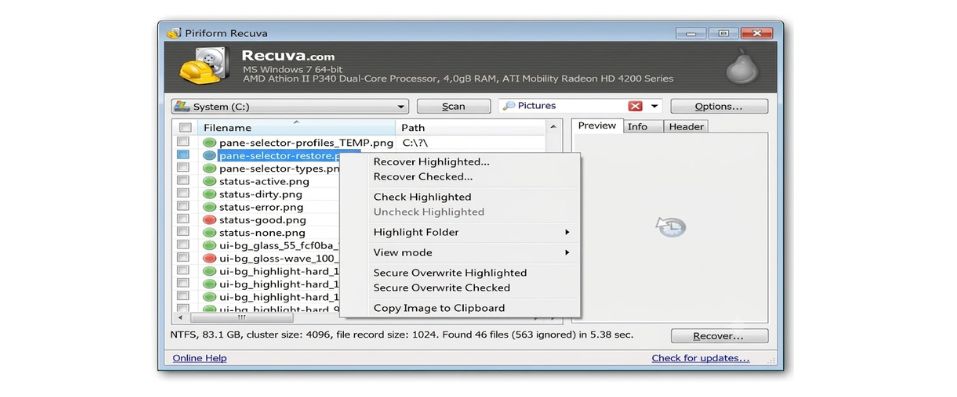
Recuva is one of the better-known free recovery tools, and it handles just about any file type: photos, videos, documents, emails, you name it. Made by Piriform, it can bring back files you deleted by mistake, cleared from the Recycle Bin, lost to a format, or misplaced on external storage. The layout is clean and easy to follow, so even non-techies won’t get stuck, and a built-in preview lets you check files before saving them.
Key Features
- Brings back deleted files from memory cards, USB drives, hard drives, and other internal or external media.
- A straightforward wizard walks you through the whole process with little effort.
- Deep Scan mode hunts for files lost to formatting or corruption.
- Lets you preview recoverable files before restoring, for more accurate results.
Best For: People who just want a simple, free way to get recently deleted files back fast.
03: EaseUS Data Recovery Wizard Free – Fast, Reliable, and User-Friendly
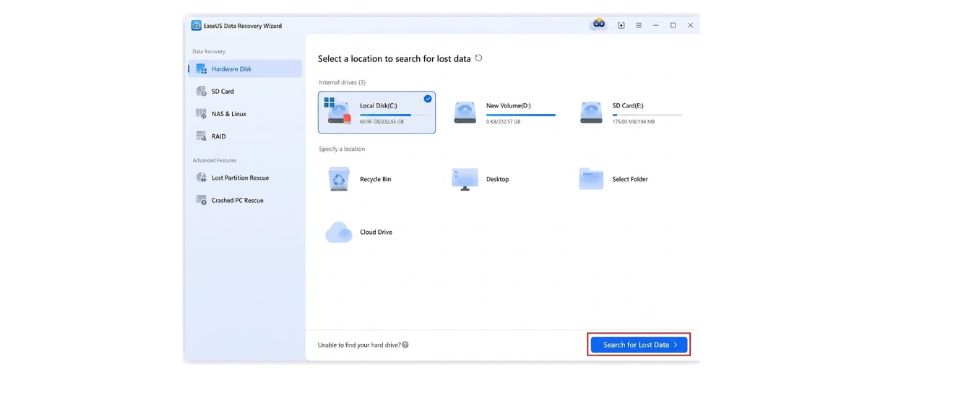
EaseUS Data Recovery Wizard Free is another well-known free pick, popular for pairing an approachable interface with recovery that actually delivers. It restores lost, deleted, formatted, or inaccessible files from all kinds of devices, SD cards, hard drives, SSDs, USB drives, and usually does it in just a few clicks.
Key Features
- Recovers documents, photos, videos, emails, archives, and plenty of other common formats.
- Quick Scan and Deep Scan improve your chances across both simple and tricky data-loss cases.
- The Preview feature lets you check recoverable files before restoring them.
- Works with hard drives, SSDs, USB drives, memory cards, and external storage.
Best For: Anyone after a simple but genuinely powerful tool for accidental deletions and formatting.
Quick Comparison: Best 3 Free Recovery Software of all time
| Funktion | Stellar Data Recovery Free | Recuva | EaseUS Data Recovery Wizard Free |
| Brugervenlighed | Beginner-friendly interface with guided recovery process | Simple wizard-based recovery interface | Modern and intuitive interface suitable for all users |
| Formatted Drive Recovery | Strong recovery capabilities for formatted and inaccessible drives | Effective for basic formatted drive recovery scenarios | Advanced recovery for formatted, lost, and inaccessible partitions |
| Storage Device Support | Hard drives, SSDs, USB drives, memory cards, and external storage devices | Hard drives, SSDs, USB drives, memory cards, and external storage devices | Hard drives, SSDs, USB drives, memory cards, digital cameras, and external storage devices |
| File Search & Organization | Organized file categorization with recovery preview options | Basic file sorting and recovery organization tools | Advanced filtering and search capabilities for faster file discovery |
Tips to Improve Recovery Success
Whichever tool you pick, these habits will noticeably boost your chances:
- Stop using the drive: The more you use the affected drive, the likelier you are to overwrite deleted files.
- Install recovery software elsewhere: Never install it on the same drive you lost data from.
- Create a disk image: If you can, image the drive before attempting recovery to avoid further damage, forensic imaging approach incident handlers use to preserve evidence
- Recover to a different drive: Always save restored files to another device.
- Act quickly: The sooner you start, the easier recovery tends to be.
Afrunding
Data loss is a headache, especially when what’s gone really mattered. But whether it disappeared through accidental deletion, formatting, a system failure, or something else, there’s usually a path to getting it back. If you ever hit that situation, any of the free tools above is a solid starting point. Compare their features and go with the one that fits your needs best.

César Daniel Barreto er en anerkendt cybersikkerhedsskribent og -ekspert, der er kendt for sin dybdegående viden og evne til at forenkle komplekse cybersikkerhedsemner. Med omfattende erfaring inden for netværks sikkerhed og databeskyttelse bidrager han regelmæssigt med indsigtsfulde artikler og analyser om de seneste cybersikkerhedstendenser og uddanner både fagfolk og offentligheden.
 Danish
  English
  German
  Italian
  Swedish
  Romanian
  Thai
Thai  Vietnamese
  Japanese
  Dutch
Dutch  Korean
  Arabic
  Hungarian