Which of the Following Is Safe to Do Over Public Wi-Fi? A Practical Security Guide
February 02, 2026 • César Daniel Barreto

Public Wi-Fi is still risky in 2026, but it isn’t completely unusable. With the right precautions, strong encryption, modern VPN usage, HTTPS enforcement, and proper authentication, you can safely perform low-risk online activities without exposing sensitive data or compromising privacy. Understanding public Wi-Fi safety from a cybersecurity perspective allows users to make informed decisions when connecting outside a trusted network.
The reality is that public Wi-Fi exists everywhere people travel, work remotely, or wait in transit. Cafés, airports, hotels, coworking spaces, and public transport hubs rely on shared internet access to function. Internet safety in these environments depends on maintaining a secure connection, applying data protection principles consistently, and limiting unnecessary network access whenever you rely on a public network.
To use public Wi-Fi responsibly, users must understand what is reasonably safe, what introduces Wi-Fi risks, and what should always be avoided. From a cybersecurity standpoint, the difference between safe and unsafe behavior often comes down to awareness, preparation, and disciplined use of internet tools. Incorporating safe browsing practices into your routine helps distinguish between secure and insecure online activities. Ensuring a secure internet connection is paramount when engaging in these activities.
Navigating Public Wi-Fi in 2026: What’s Changed (and What Hasn’t)
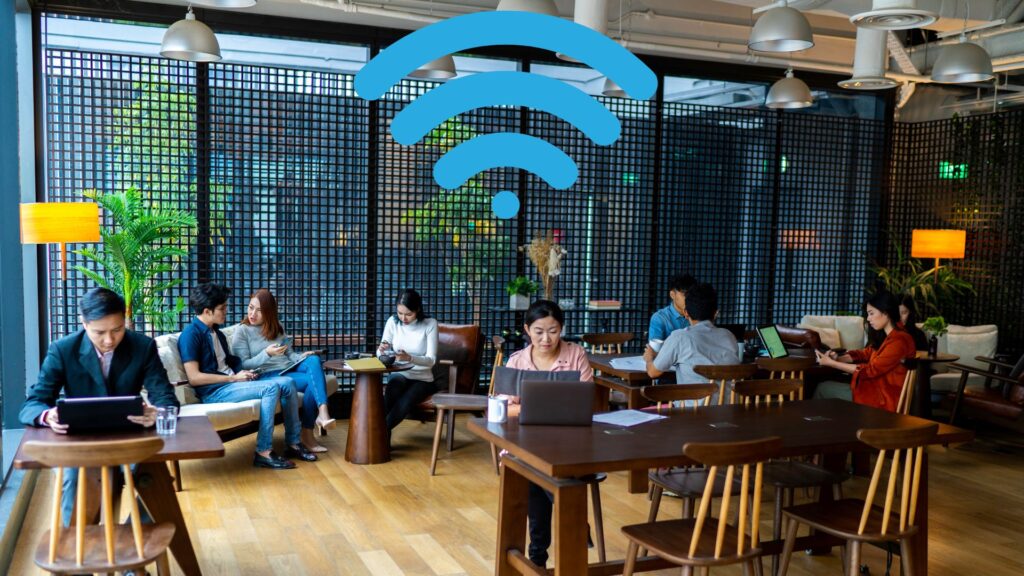
Public Wi-Fi networks in cafés, airports, hotels, libraries, shopping centers, and transit hubs remain attractive targets for attackers because they are shared by many users, often poorly monitored, and frequently misconfigured or outdated. Cybersecurity threats can arise when a hacker connected to the same public Wi-Fi exploits weak network security to intercept traffic, downgrade encryption, inject malicious content, or capture session cookies without raising obvious alerts. Ensuring internet safety in these environments is crucial to prevent such vulnerabilities from being exploited.
While modern devices are significantly more secure than those used a decade ago, the underlying risks of a public network have not disappeared. Network segmentation is often minimal, access controls are weak, and administrators may not actively monitor for malicious activity. These structural weaknesses make public Wi-Fi fundamentally different from a trusted network.
At the same time, important improvements have occurred. Most websites now enforce HTTPS by default, browsers warn users about unsafe pages, and operating systems include built-in firewalls and sandboxing. These changes have improved baseline security, but they do not eliminate the need for additional security measures, especially when sensitive data is involved.
Many data breach incidents linked to public Wi-Fi do not occur because encryption is absent, but because users perform high-risk actions on unsecured networks. Banking, password resets, account recovery, identity verification, and administrative access are particularly vulnerable in these environments.
From an information security standpoint, the weakest point on public Wi-Fi is often user decision-making. Knowing when a secure connection is required, when to delay an action, and when to switch networks is essential for maintaining privacy and minimizing security risks.
Cybersecurity in 2026 is less about panic and more about layered defense. Public Wi-Fi can be used safely when users understand its limitations and apply the correct protections consistently.
What’s Relatively Safe vs Unsafe on Public Wi-Fi
Not all online activities carry the same level of risk on public Wi-Fi. Determining what is acceptable depends on whether the activity involves authentication, payments, personal identifiers, or sensitive data. Applying network security principles and safe browsing habits helps users make these distinctions.
Low-risk activities generally involve passive consumption of content, while high-risk actions involve interaction with accounts, systems, or financial information. The goal is not to eliminate public Wi-Fi usage entirely, but to align behavior with the level of protection available.
Essential Wi-Fi Safety Tips
Navigating public Wi-Fi securely involves more than just avoiding risky activities. Implementing smart practices can significantly reduce your exposure to threats. Always ensure your device’s firewall is enabled and keep your software up to date to protect against known vulnerabilities.
Tip: Disable auto-connect features on your device to prevent it from linking to potentially malicious networks automatically. Additionally, make it a habit to verify the network name with the establishment offering the Wi-Fi to avoid connecting to rogue hotspots.
Use a Virtual Private Network (VPN) whenever possible. A VPN encrypts your internet traffic, making it much harder for attackers to intercept your data. This is particularly important when accessing sensitive information or conducting transactions.
Example: When working from a café, connect to a VPN before logging into work accounts. This adds an extra layer of security, ensuring your business communications remain private.
Public Wi-Fi Safety Table (2026)
| Activity / Scenario | Safer If You Do This | Unsafe If You Do This |
|---|---|---|
| Reading news or blogs | HTTPS enforced, VPN usage, secure browsing habits | Plain HTTP sites, outdated browsers |
| Streaming video or music | Encrypted apps, VPN enabled | Account or payment changes |
| Email access | VPN first, HTTPS, app-based authentication | Browser login without protection |
| Online banking or shopping | Mobile data preferred; VPN plus encryption if unavoidable | Entering card details on open Wi-Fi |
| Work VPN or admin access | Enterprise VPN, strict network security controls | Direct access over public Wi-Fi |
| Downloading files | Official sources, antivirus active | Pirated or unknown downloads |
| Maps, schedules, reference checks | HTTPS apps, no logins | Entering personal details in portals |
In practice, public Wi-Fi safety in 2026 depends on maintaining a secure connection through encrypted channels, identity verification, and disciplined network access. Unsafe behavior usually involves transmitting sensitive data, banking credentials, or authentication tokens over an unsecured public network.
Safe practices do not guarantee immunity, but they dramatically reduce exposure. When applied consistently, these habits transform public Wi-Fi from a high-risk environment into a manageable one for limited online activities.
Updated Public Wi-Fi Risks in 2026
Wi-Fi risks have evolved rather than disappeared. Attack techniques are now easier to deploy at scale, especially in high-traffic locations where public Wi-Fi is heavily used and rarely audited.
Common threats include fake hotspots that imitate legitimate public networks, interception attacks that capture or alter traffic, forced encryption downgrades, session hijacking via stolen cookies, and malware injection through compromised routers. In some cases, a second hacker on the same public Wi-Fi can operate invisibly, harvesting credentials or monitoring traffic without alerting users.
These risks are amplified by user behavior. Many people assume that visible connectivity implies safety, when in reality public Wi-Fi often lacks monitoring, intrusion detection, and segmentation. This increases exposure to data protection failures and privacy violations.
From a cybersecurity perspective, public Wi-Fi should always be treated as a hostile environment. The goal is not fear, but awareness and preparation.
Information security professionals consistently emphasize that security is a process, not a switch. Public network usage requires ongoing evaluation of security risks, especially as attackers adapt to defensive improvements.
Understanding Wi-Fi Vulnerabilities in 2026
Wi-Fi vulnerabilities remain one of the most significant weaknesses in public networks. Man-in-the-middle attacks allow attackers to intercept communications between devices and routers, undermining secure browsing and online privacy.
Rogue access points represent a persistent threat. These fake hotspots mimic legitimate network names and are designed to lure users into connecting. Once connected, attackers gain visibility into network traffic and can manipulate data flows.
Outdated router firmware, weak encryption standards, poor segmentation, and default credentials all contribute to Wi-Fi vulnerabilities. Applying VPN usage, modern encryption, and updated systems strengthens network security and reduces exposure.
Using a personal mobile hotspot creates a controlled internet connection with stronger data protection than most public Wi-Fi environments. This is especially important when handling sensitive data or accessing critical accounts.
Global travel, hybrid work, and the expansion of flexible workspaces continue to increase reliance on public Wi-Fi, making education around these vulnerabilities more important than ever.
Essential Protection in 2026: VPN, Encryption, and Authentication

A VPN creates an encrypted tunnel between your device and the internet, shielding traffic from local interception on public Wi-Fi. VPN usage remains one of the most effective security measures for protecting data protection and privacy.
Encryption, secure connection protocols, and HTTPS enforcement form the backbone of modern network security. These technologies ensure that even on a public network, transmitted data remains unreadable to unauthorized parties.
Authentication is equally critical. Unique passwords, password managers, and multi-factor authentication strengthen information security and dramatically reduce account takeover risk.
VPNs should be treated as part of a layered security strategy rather than a standalone solution. Combining VPN usage with encryption, disciplined browsing behavior, and security awareness offers the strongest protection.
Device and Network Settings That Matter
Disabling auto-connect to open Wi-Fi, verifying network names, applying system updates, enabling firewalls, and restricting network access are foundational safe practices. These steps significantly improve network security on public Wi-Fi.
Whenever possible, using mobile data or a trusted network remains the safest internet safety option, particularly for email, banking, and identity-related tasks.
Proper configuration ensures that even when public Wi-Fi is unavoidable, exposure to data breach scenarios remains limited.
Real-World Examples of Safer Public Wi-Fi Use in 2026
In an airport lounge, safer public Wi-Fi use includes verifying the network name, disabling auto-connect, enabling a VPN, and limiting activity to non-sensitive email or browsing tasks.
At a hotel, account management and sensitive email are better handled through a mobile hotspot. If hotel Wi-Fi must be used, VPN usage and app-based authentication help preserve privacy.
While traveling, browsing content or checking schedules over public Wi-Fi is generally acceptable with HTTPS and secure browsing enabled. This can include reading informational resources or industry-focused platforms such as Gamblingpedia, provided no login credentials or payment details are entered. Payment changes, password resets, and banking actions should be reserved for mobile data or a trusted network.
Key Takeaways
Public Wi-Fi is not automatically unsafe in 2026, but careless usage still introduces real security risks.
Maintaining secure connections, applying VPN usage, enforcing encryption, practicing data protection, following safe browsing habits, and using appropriate security measures allow users to operate safely on public Wi-Fi while protecting privacy and online security.

César Daniel Barreto
César Daniel Barreto is an esteemed cybersecurity writer and expert, known for his in-depth knowledge and ability to simplify complex cyber security topics. With extensive experience in network security and data protection, he regularly contributes insightful articles and analysis on the latest cybersecurity trends, educating both professionals and the public.
 English
  German
  Danish
  Italian
  Swedish
  Romanian
  Thai
Thai  Vietnamese
  Japanese
  Dutch
Dutch  Korean
  Arabic
  Hungarian