PayPal vs. Apple Pay: Was ist sicherer für Studenten?
September 19, 2025 • César Daniel Barreto
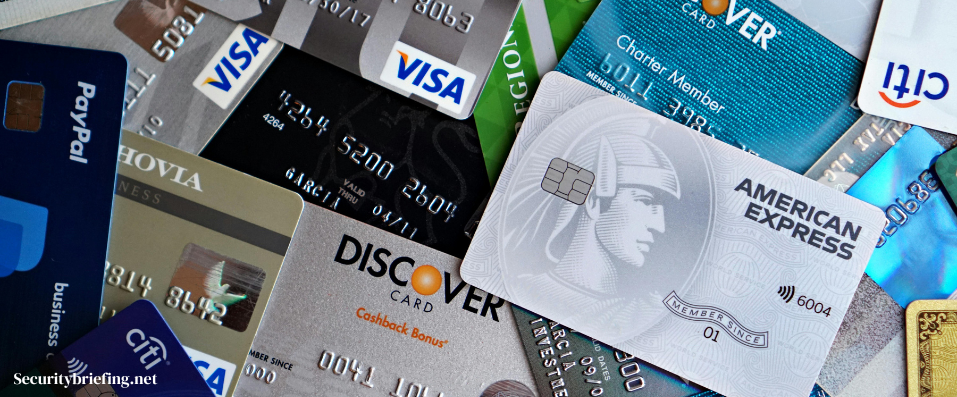
Your phone buzzes in the middle of a lecture – someone’s asking you to send your share of last night’s pizza. You open your payment app and pause. Is PayPal the safer choice, or should you go with Apple Pay?
This isn’t a small decision. It’s your bank info, your tuition money, your part-time paycheck. And when you’re already digging through essaypro.com reviews to avoid sketchy services, you don’t need your payment app making life riskier.
The good news? You don’t have to guess. Let’s break down which tool gives you stronger protection without adding stress to your study routine.
Worauf es beim Bezahlvorgang wirklich ankommt
Let’s start simple. When we talk about security in digital payments, what really counts is how well a platform makes sure you are actually you. That’s called authentication.
PayPal lets you turn on two-factor authentication. That means you log in with your password and also a one-time code from a text or app. Even if someone steals your password, they can’t break in without that code.
Apple Pay builds this step in by default. You can’t make a payment without Face ID, Touch ID, or your passcode. This stops anyone who grabs your phone from buying stuff in your name. If you’re a busy student, treat these small steps as a huge first line of defense.
Warum Apple Pay und PayPal Verschlüsselung und Datenschutz unterschiedlich handhaben
College life is a mess of open Wi-Fi, shared laptops, and random logins. That’s why encryption matters. It scrambles your data during a transaction so hackers can’t read it.
Apple Pay goes even further. It uses tokenization, which means it never sends your real card number. Instead, it sends a fake token that only your bank can match to your account. Even if someone intercepts it, it’s useless.
PayPal also hides your card details from stores. Merchants see your PayPal account, not your bank info. So, both platforms protect your details when you’re buying late-night snacks or renting e-books online.
Häufige Bedrohungen und wie jede Plattform damit umgeht
Even good security has to survive real-world chaos – lost phones, phishing emails, or malware on public computers. Here’s how both services handle that.
- Phishing: PayPal monitors logins and flags strange activity. It can freeze your account fast if something looks off.
- Lost devices: Apple Pay automatically blocks payments if you lose your phone. You can also erase it remotely with Find My.
- Malware: Both apps work in “sandboxed” spaces. That means other apps can’t easily sneak in to steal your data.
The trend toward stronger security is clear – a report on how instant payment platforms are shaping digital security shows how these systems are pushing providers like PayPal and Apple to step up protections.
Wie Sicherheitskontrollen bei digitalen Zahlungen Studierende schützen
Here’s how the security controls of each service stack up side by side.
| Merkmal | PayPal | Apple Pay |
| Login protection | Two-factor authentication with SMS or app codes | Face ID, Touch ID, or passcode |
| Data safety | Encrypts transactions | Encrypts and tokenizes card data |
| Card number sharing | Hidden from merchants | Never shared; replaced with a token |
| Lost device response | Freeze account and reset password | Disable Apple Pay remotely |
All of this matters when you’re studying on the go. One forgotten phone at a party shouldn’t wipe out your savings.
Welches ist insgesamt sicherer für Studierende?
Wer gewinnt also? Ehrlich gesagt sind beide stark, aber auf unterschiedliche Weise.
Apple Pay has the edge if you already use an iPhone or Apple Watch. It locks your data deep in your device’s hardware. Your real card number never leaves your phone, and you can shut it down remotely if it’s lost. It also keeps purchase details private, which adds another layer of protection.
PayPal is better when you need flexibility. It works on nearly any device, links to multiple banks, and has strong buyer protection. When a problem pops up, PayPal lets you file a dispute and often get refunded. Apple Pay doesn’t handle that part, so you’d need to work it out with your bank.
The Federal Trade Commission notes in this overview that tokenization, encryption, and multi-factor authentication are among the best tools for preventing online fraud. That’s exactly the combo both services rely on.
Wenn Sie also hauptsächlich in Apps oder Geschäften mit Ihrem Handy bezahlen, ist Apple Pay wahrscheinlich die beste Wahl für Sie. Wenn Sie viel auf Websites einkaufen oder Geld zwischen Freunden verschicken, könnte sich PayPal sicherer und flexibler anfühlen.
Gewohnheiten von Studierenden, die über die Sicherheit entscheiden
Here’s the twist: even the safest platform won’t help if you use it carelessly. A few smart habits can boost the security of mobile payments and digital wallets way more than people expect:
- Verwenden Sie starke, einzigartige Passwörter für Ihre Konten.
- Aktivieren Sie immer die Zwei-Faktor-Authentifizierung oder biometrische Verfahren.
- Vermeiden Sie öffentliches WLAN, wenn Sie etwas bezahlen.
- Halten Sie Ihr Handy und Ihre Apps aktuell.
Diese Schritte klingen klein, aber sie blockieren die häufigsten Angriffe, denen Studierende ausgesetzt sind.
Auf welches Sicherheitsmerkmal digitaler Zahlungen sollten Sie immer achten?
If there’s one tip to hold onto, it’s this: pick payment apps that use multi-factor authentication. It blocks most break-in attempts, and even a stolen password won’t work without that extra code or face scan.
It’s simple, free, and powerful, especially for students managing tight budgets and busy lives.
Bottom Line
PayPal und Apple Pay sind beide starke Optionen für Studierende, glänzen aber auf unterschiedliche Weise. PayPal bietet breiten Zugang, hervorragenden Käuferschutz und funktioniert fast überall. Apple Pay bietet tiefgehenden Datenschutz, hardwarebasierte Sicherheit und schnelle Fernsteuerung, falls Ihr Handy verschwindet.
In practice, Apple Pay may be slightly safer if you’re fully in the Apple ecosystem, while PayPal fits better if you jump between devices and need more flexibility.
So oder so zählen auch Ihre eigenen Gewohnheiten. Aktivieren Sie zusätzliche Sicherheitsschritte, bleiben Sie wachsam, und Ihr Geld bleibt sicher, während Sie sich auf das Campusleben konzentrieren.

César Daniel Barreto
César Daniel Barreto ist ein geschätzter Cybersecurity-Autor und -Experte, der für sein fundiertes Wissen und seine Fähigkeit, komplexe Cybersicherheitsthemen zu vereinfachen. Mit seiner umfassenden Erfahrung in den Bereichen Netzwerk Netzwerksicherheit und Datenschutz schreibt er regelmäßig aufschlussreiche Artikel und Analysen über die neuesten Trends in der Cybersicherheit, um sowohl Fachleute als auch die Öffentlichkeit zu informieren.
 German
  English
  Danish
  Italian
  Swedish
  Romanian
  Thai
Thai  Vietnamese
  Japanese
  Dutch
Dutch  Korean
  Arabic
  Hungarian