Sandboxels Unblocked: There Is Usually Nothing to Unblock
July 09, 2026 •
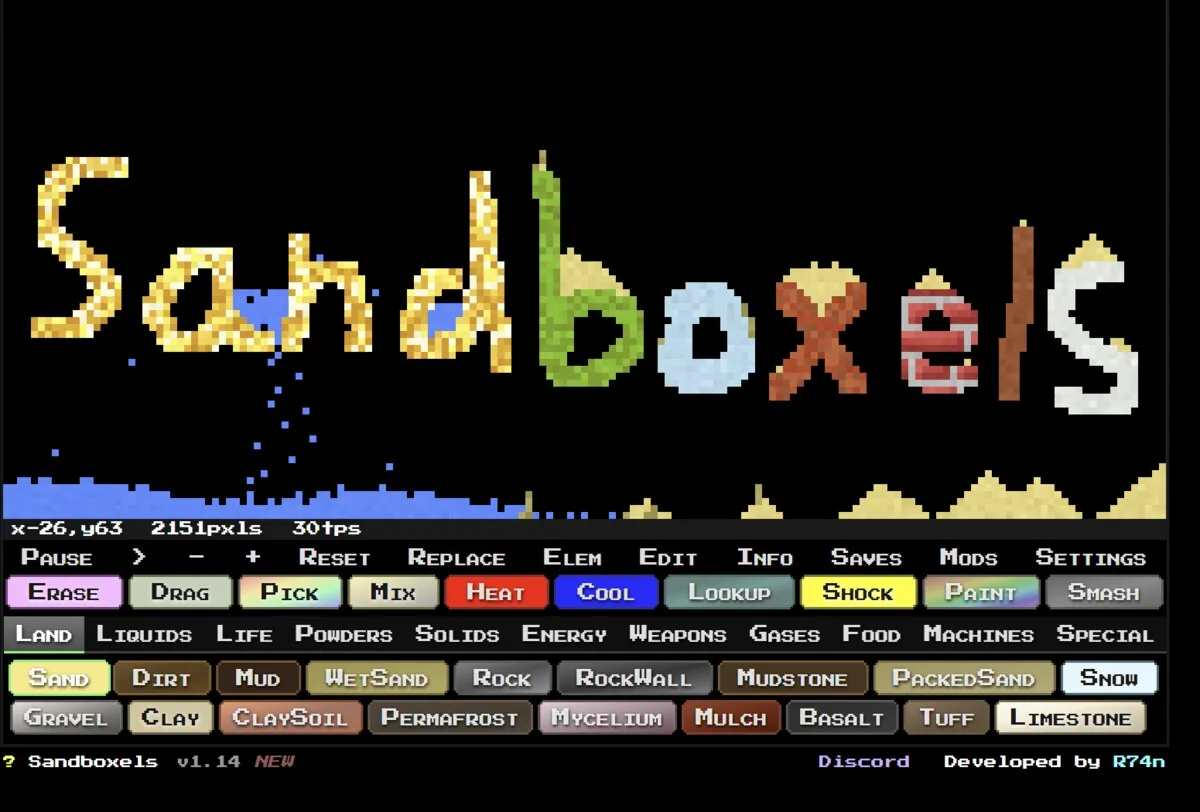
The Sandboxels title screen. The footer reads v1.14, and the Land tab shows eighteen terrain elements. Screenshot: Sandboxels / R74n.
Here’s the awkward truth about “Sandboxels unblocked”: there’s usually nothing to unblock. It’s a plain web page. No download, no plugin, no launcher. If your school filter hasn’t specifically banned the domain, you’re already in.
What’s worth knowing is the part nobody writes about — the offline install that actually survives a network filter, and the reason Sandboxels mods deserve more caution than any other browser game on this list.
What the game is
Sandboxels is a free falling-sand simulator by R74n. You drop pixels of stuff on a grid and watch them argue with each other. Sand piles. Water flows. Fire spreads. Lava turns sand into glass.
The developer’s own description names the systems: heat simulation, electricity, density, chemical reactions, cooking, and fire spread. It advertises over 500 elements. You’ll see “546 elements, 228 hidden” repeated across a dozen guides — R74n doesn’t publish that number, so I’m not going to either.
The game’s own footer reads v1.14. R74n’s site metadata still says 1.13, and most articles ranking for this term say 1.12. Three numbers, one game. Trust the footer — it’s the only one that ships with the thing you’re playing.
It’s genuinely a chemistry set
The reason teachers tolerate this game is that the simulation isn’t decorative. Layer oil, water and mercury and they separate by density in the correct order. Heat sand past its melting point and you get glass, not “glass-colored sand.” Drop uranium next to neutrons and the chain reaction behaves like a chain reaction.
My favourite five minutes with it: build a sealed box, fill it with plants, add a light source, then seal a rat inside. Watch how long the ecosystem holds. It falls apart faster than you’d expect, and the way it falls apart is the lesson.
The controls, straight from the game’s own panel
Press \ to open settings and you’ll find a Controls tab. It disagrees with almost every guide out there, so here’s what it actually says:
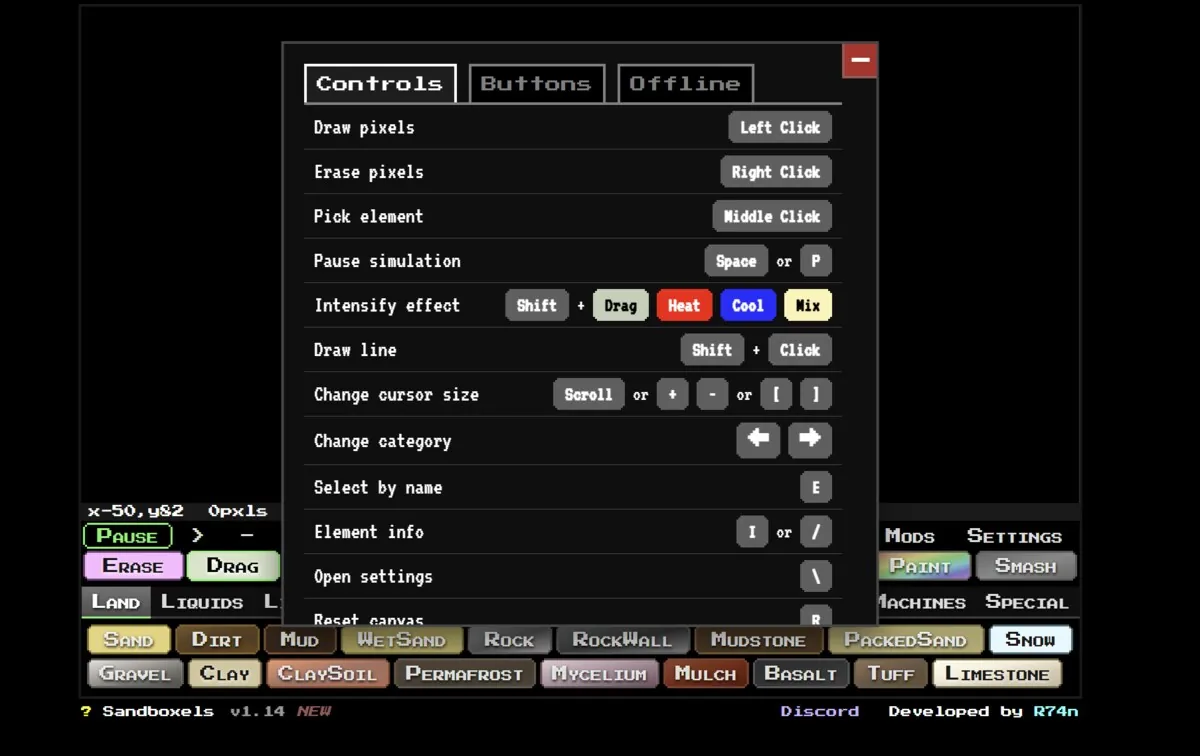
- Draw — left click. Erase — right click. No eraser tool needed.
- Pick the element under your cursor — middle click.
- Pause — space or
P. - Draw a straight line — shift + click.
- Intensify heat, cool, mix or drag — hold shift while using the tool.
- Brush size — scroll, or
[and]. - Search elements by name —
E. With 500+ of them, this is the one to memorise. - Element info —
Ior/. - Reset the canvas —
R.
Guides will tell you C clears the canvas and right-click opens element info. Neither is true. Somebody wrote that once and everybody copied it.
The elements sit in eleven category tabs: Land, Liquids, Life, Powders, Solids, Energy, Weapons, Gases, Food, Machines, Special. There’s no “Hidden” tab, whatever the wikis imply — hidden elements appear in their category once you’ve made them.
Where to actually play it
Go to sandboxels.r74n.com. That’s the whole answer for most people.
It’s the official site, it’s always the newest version, and — this is the part that matters on a school network — it doesn’t look like a game site. There’s no unblocked or games in the domain. Filters that work by category often let it straight through.
The offline install, which most guides describe wrong
Nearly every “Sandboxels unblocked” article tells you to download a standalone HTML file from the offline page and run it locally. That isn’t what the offline page says.
It’s a progressive web app install. R74n’s instructions are specific and slightly annoying: on a PC it works only in Google Chrome. Open the official site in Chrome, find the Install Offline button underneath the game, press it, and follow the browser prompt. Other browsers won’t do it. Mobile has its own separate guide.
Once it’s installed, the game lives on the machine and runs with no internet at all. A domain filter has nothing to filter. On a school-issued Chromebook — where Chrome is the only browser anyway — this is the real answer to the question people are actually asking.
The tricky part is that a managed Chromebook may block PWA installs outright. If the button does nothing, that’s your admin, not a bug.
The mod system, and why it’s different
This is where Sandboxels stops being like other browser games.
Mods are JavaScript. You open the Mods tab, type a filename like glow.js, hit enter, refresh, and that code now runs in your browser on that page. The official mod list at sandboxels.r74n.com/mod-list currently carries a few hundred .js files.
On the official site, that’s fine. You’re loading a curated script from R74n’s own domain, in a tab that contains nothing but a sand game.
Now put the same mechanic on a random mirror. You’re on somegamesite.xyz, which is serving you a copy of Sandboxels alongside an ad network it doesn’t control, and you paste in a filename that tells the page to fetch and execute a script. What most people miss is that “install a mod” and “run a stranger’s code” are the same sentence here.
I’m not saying mirrors are booby-trapped. Most aren’t. I’m saying this specific game has a feature that turns a sketchy host into a much worse problem than it would be for, say, a racing game. If you mod, mod on the official domain.
The extension rule still applies
Nothing about a falling-sand game requires a browser extension. If a page offers you one to “unblock” Sandboxels, and it asks to read and change all your data on all websites, that permission covers your email and your session cookies. We’ve written about how classic games get used in malware campaigns, and the same logic we applied to PolyTrack’s mirrors and to the Google gnome doodle holds here. Ad-funded portals are where malvertising lives, and you don’t have to click anything for a hostile creative to load.
The dollar version
Sandboxels is on Steam for $0.99. It launched there on 16 May 2025, published by R74n, and sits at roughly 947 positive reviews out of 997 — about 95%.
You’re not buying more game. You’re buying no ads, a bigger window, Workshop integration, and a dollar going to the person who built it. The browser version stays free and current.
Here’s my honest read: if you’ve spent more than an hour in the free version, the dollar isn’t a decision. If you haven’t, don’t bother yet.
Five things to try that aren’t “make lava”
Every guide gives you a bullet list of generic tips. These are specific, and each one teaches you a system.
Density stack. Pour mercury, then water, then oil into the same well. They sort themselves. Now add lava and watch it fight the mercury.
Bake a cake properly. Flour, egg, butter, sugar into batter, then apply heat — but overheat it and you get charcoal, because the simulation doesn’t care about your intentions.
Sealed ecosystem. Dirt, seed, water, light, one animal, four walls. Time it.
Rust something. Iron plus oxygen plus water. It takes longer than you think, which is the point.
Break a reactor. Build a uranium pile, get the chain reaction going, then remove your coolant and see how fast the box stops being a box.
What to do
Open the official site. If it loads, you never needed an unblocked mirror and you never will.
If it’s blocked, open Chrome, hit Install Offline, and the filter becomes irrelevant. If your admin has blocked that too, they’ve made a decision about your device and a mirror site isn’t going to un-make it — it’s just going to add an ad network to your afternoon.
And whatever you do, install mods on r74n.com, not on someone else’s copy.

César Daniel Barreto is an esteemed cybersecurity writer and expert, known for his in-depth knowledge and ability to simplify complex cyber security topics. With extensive experience in network security and data protection, he regularly contributes insightful articles and analysis on the latest cybersecurity trends, educating both professionals and the public.
 English
  German
  Danish
  Italian
  Swedish
  Romanian
  Thai
Thai  Vietnamese
  Japanese
  Dutch
Dutch  Korean
  Arabic
  Hungarian