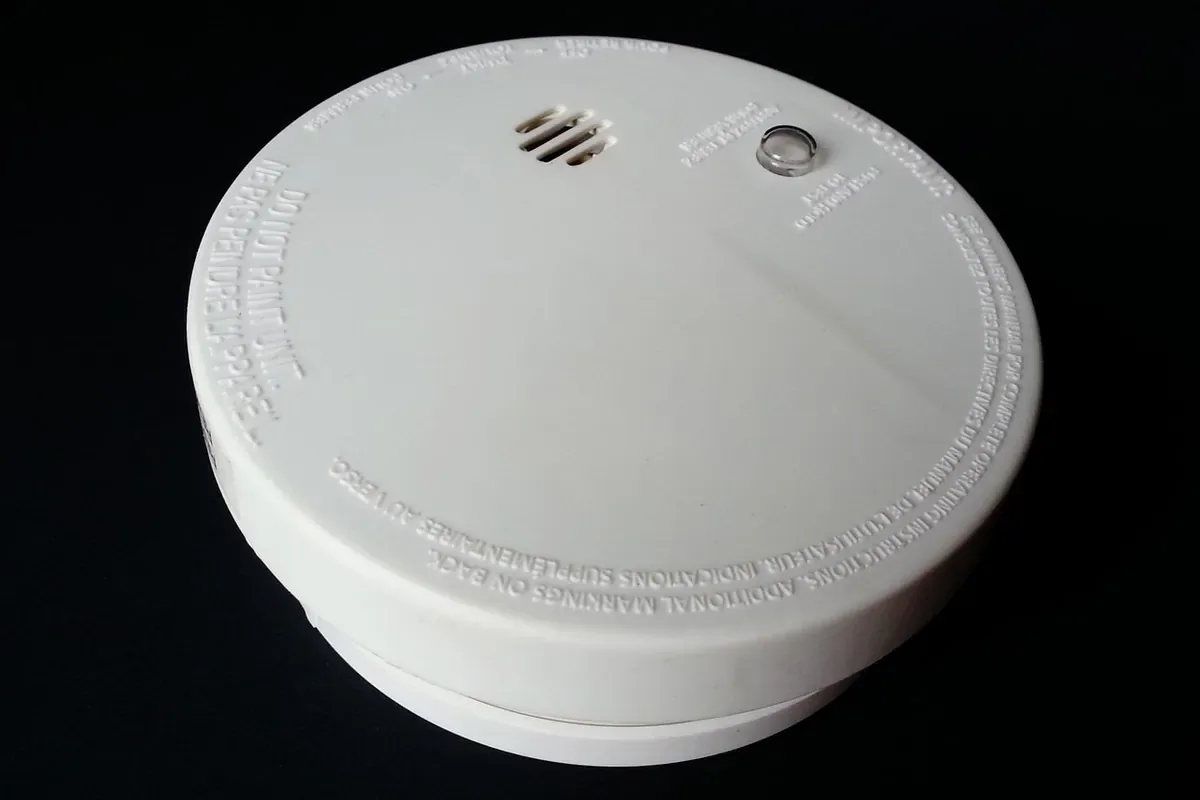
Use this guide to fully test a smoke detector (aka smoke alarm) — including the power supply, the siren, the smoke sensor itself, and the interconnection network if your home has one. Pressing the test button alone isn’t a complete test: the button confirms the alarm has power and a working siren, but it doesn’t check whether the sensor can actually detect smoke.
Press and hold the test button for 3–6 seconds every month and listen for a loud, clear siren in every room. Once a year, spray a smoke test aerosol at the vents to confirm the sensor itself still works, replace the battery every 6–12 months, and replace the whole unit every 10 years — no matter how well it seems to test.
Why regular testing matters
A working smoke alarm can be the difference between escaping a fire safely or not. Research from Fire & Rescue New South Wales found that 8 out of 10 test burns involved smouldering conditions — the most common and deadly type of home fire — which is exactly the kind of fire a failing sensor misses.
In Australia, regular testing is also a legal requirement under the Building Code of Australia (BCA), which sets enforceable minimum performance and installation standards for smoke alarms in all residential buildings.
The three tests at a glance
Different tests check different things. Use all three for complete confidence:
| Test method | How to do it | Frequency | What it confirms |
|---|---|---|---|
| Test button | Press and hold the button for 3–6 seconds | Monthly | Battery/mains power + siren working |
| Aerosol smoke spray | Spray smoke-simulating aerosol near the vents | Annually | The sensor can actually detect smoke particles |
| Interconnection test | Trigger one alarm and walk the house | Monthly | All alarms in the network fire simultaneously |
What you need
- Stepladder or sturdy step stool
- Smoke test aerosol — approx. $16 at hardware stores
- Fresh replacement battery Optional
- Vacuum with soft brush attachment Optional
The monthly button test
Prepare your household
Warn family members and pets before testing — the siren is 85 dB from 3 metres away, enough to wake deep sleepers.
If anyone in the house has a monitored alarm service, let the monitoring company know you’re running a test.
Position your ladder
Set a sturdy ladder or step stool directly under the detector, on a flat surface.
Never balance on a chair, a bed, or a stack of furniture to reach the detector — falls are one of the most common injuries during this simple job.
Locate the test button
Look for the button labeled Test or Hush on the front or side of the detector.
On some models the entire front cover is the button — if you can’t find a labeled one, press the centre of the cover gently.
Press and hold the test button
Press and hold the button firmly for 3–6 seconds until the alarm sounds.
Don’t tap and release — some models need several seconds of continuous pressure before the siren fires.
Listen for a loud, clear siren
The siren should be loud, clear, and impossible to ignore.
If the sound is weak, muffled, or there’s no sound at all, the unit has a problem — jump to the troubleshooting section at the end of this guide before going any further.
Check the interconnected alarms
If your alarms are interconnected (wired or wireless), every alarm in the house should trigger at the same time as the one you pressed.
Walk through each room while the alarm sounds and confirm every unit is firing.
A silent alarm in an interconnected system during a test points to a communication fault — this needs immediate professional attention.
Silence the alarm
Once you’re satisfied every alarm sounded correctly, press the test button again to silence the system.
That’s the monthly test done. The next steps cover the annual sensor test — the part most people skip.
The annual sensor test
Never use real smoke
Never test a detector with real smoke from candles, matches, or lighters — burning materials leave an oily residue that damages the sensor and reduces its sensitivity over time.
Use a purpose-made smoke test aerosol instead. You can pick one up at a hardware store for approximately $16.
Spray the test aerosol
Put the detector in test mode first, if your model supports it — check the manual.
Spray a short burst of the aerosol toward the detector’s vents from the distance specified on the can.
Don’t flood the detector — one or two short bursts is plenty.
Confirm the sensor responds
The alarm should trigger within seconds of the spray reaching the vents.
If it doesn’t, the sensor may be clogged with dust or failing — clean the vents (next step) and test again. If it still stays silent, replace the unit.
Keep it working
Clean the vents
Run a vacuum with a soft brush attachment gently over the vents to remove dust.
Do this at least once a year — a dusty chamber causes both false alarms and missed real ones.
Check the battery and the expiry date
Replace the battery every 6–12 months — even hardwired alarms have a battery backup.
Check the manufacture or expiry date printed on the back of the unit. Smoke detectors wear out: replace the entire unit every 10 years, no matter how well it seems to test.
Troubleshooting
- No sound at all — replace the battery first (even hardwired alarms have a battery backup) and make sure it’s inserted correctly.
- Weak or muffled sound — that’s a red flag; the unit likely needs replacing.
- Chirping every 30–60 seconds — low-battery warning; replace the battery immediately.
- Frequent false alarms — clean dust from the vents with a soft brush vacuum attachment, and check whether the unit is past its expiry date.
- One alarm stays silent in an interconnected system — communication fault; call a professional.
Maintenance schedule
| Task | Frequency |
|---|---|
| Button test (siren + power) | Monthly |
| Interconnection walk-through | Monthly |
| Battery replacement | Every 6–12 months |
| Aerosol sensor test | Annually |
| Dust cleaning | Annually |
| Full unit replacement | Every 10 years |
Ionisation vs. photoelectric sensors
The two main sensor technologies detect different types of fires:
- Ionisation sensors — faster at detecting fast-flaming fires.
- Photoelectric sensors — better for slow, smouldering fires (the most common deadly type).
Safety experts strongly recommend installing alarms with both sensor types — either as combination units or a mix of both throughout the home.
 English
  German
  Danish
  Italian
  Swedish
  Romanian
  Thai
Thai  Vietnamese
  Japanese
  Dutch
Dutch  Korean
  Arabic
  Hungarian